
Activation and trial codes upgrade your Free account to a higher tier, giving you access to features like unlimited captures, PDF reports, and more.
Where codes come from
You may have received an activation or trial code from:
- Training sessions, webinars, or live demos
- Social media promotions or giveaways
- Email newsletters
- Printed materials (OSINT books, handouts, conference kits)
- Partner offers (like Kase Scenarios)
Requirements
Before you start
- You must be logged in to the extension
- Your account must be a Free – Non-Forensic account
- Codes cannot be applied to already-upgraded accounts
- Only one code can be used per account
Steps to enter your code
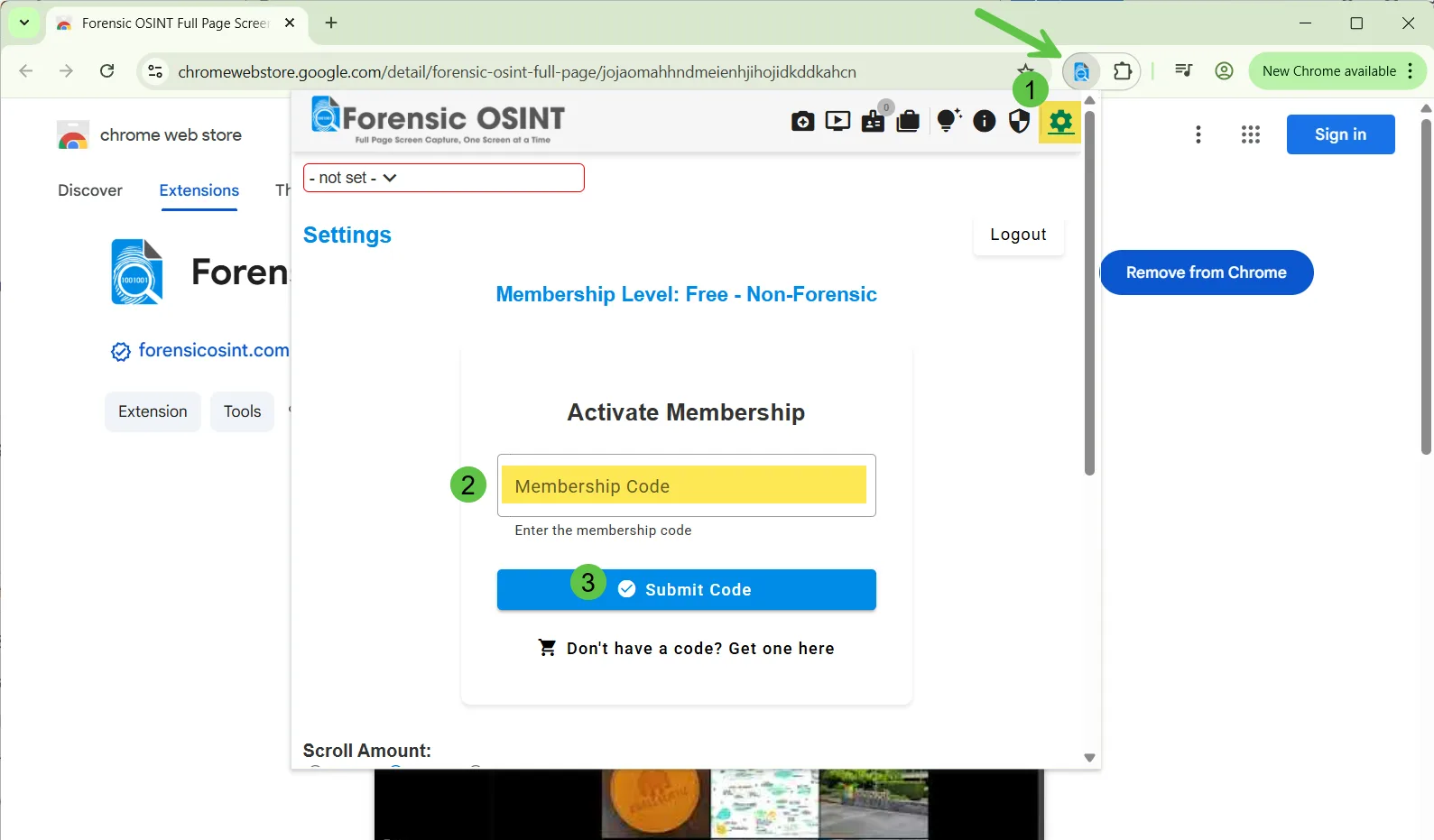
Open the extension
Click the Forensic OSINT extension icon in your browser toolbar. Make sure you're logged in.
Open Settings
Click the Settings (gear) icon at the top right of the extension window.
Enter your code
Under Activate Membership, enter your code into the Membership Code box and click the blue Submit Code button.
Confirmation
If the code is valid, your account will be upgraded instantly. You'll see your new account tier reflected in the extension.
Troubleshooting
Code not working?
- Double-check for typos (codes are case-sensitive)
- Make sure you're logged into the correct account
- Verify your account is still on the Free tier
Already used a code?
Only one activation or trial code can be used per account. If you've received multiple codes, the first one you enter will be applied.
Account already upgraded?
Codes can only be applied to Free accounts. If you've already upgraded (via subscription or a previous code), the new code cannot be used.
Tip: If you have multiple codes, choose the one that offers the longest trial or best tier for your needs before entering it.
