This guide walks you through creating your Forensic OSINT account. The process takes about 5 minutes and includes setting up two-factor authentication for security.
Before you start
- Use Google Chrome, Brave, or another Chromium-based browser
- Have access to your email for verification
- Have an authenticator app ready (Google Authenticator, Authy, etc.)
Install the Chrome Extension
First, install the Forensic OSINT extension from the Chrome Web Store:
Once installed, click the extension icon in your browser toolbar to open it.
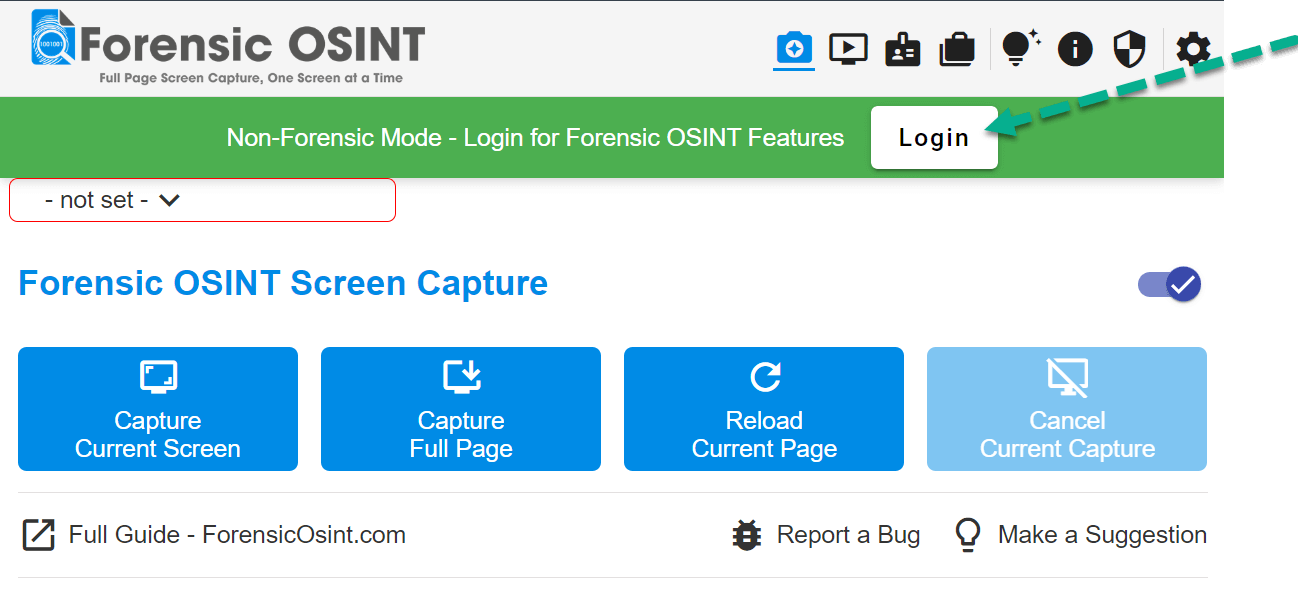
Click the Login button
Open the extension and click the Login button to begin the sign-up process.
Click "Sign up now"
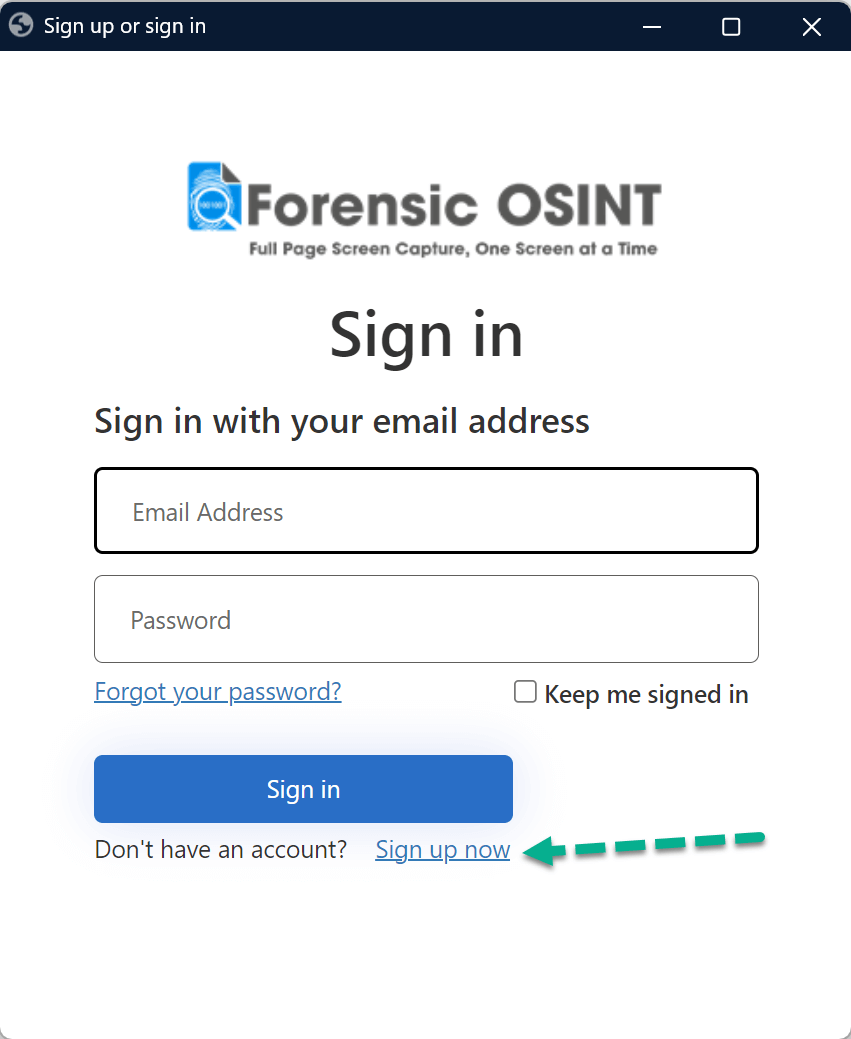
On the login dialog, click the Sign up now link to create a new account.
Verify your email
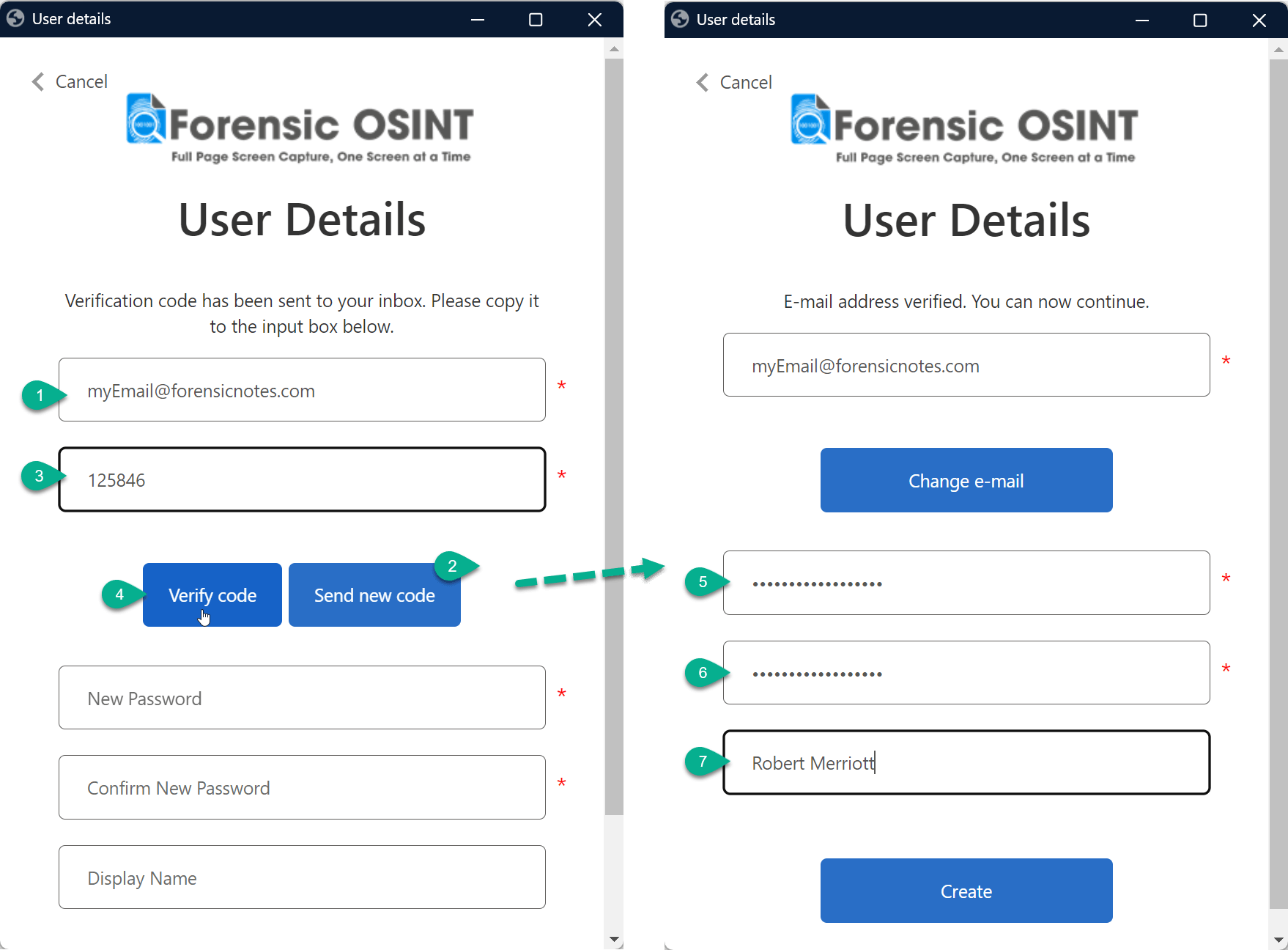
Enter your email address and click Send new code. Check your inbox for the verification code, enter it in the form, and click Verify code. Then set up your display name and password.
Set up two-factor authentication
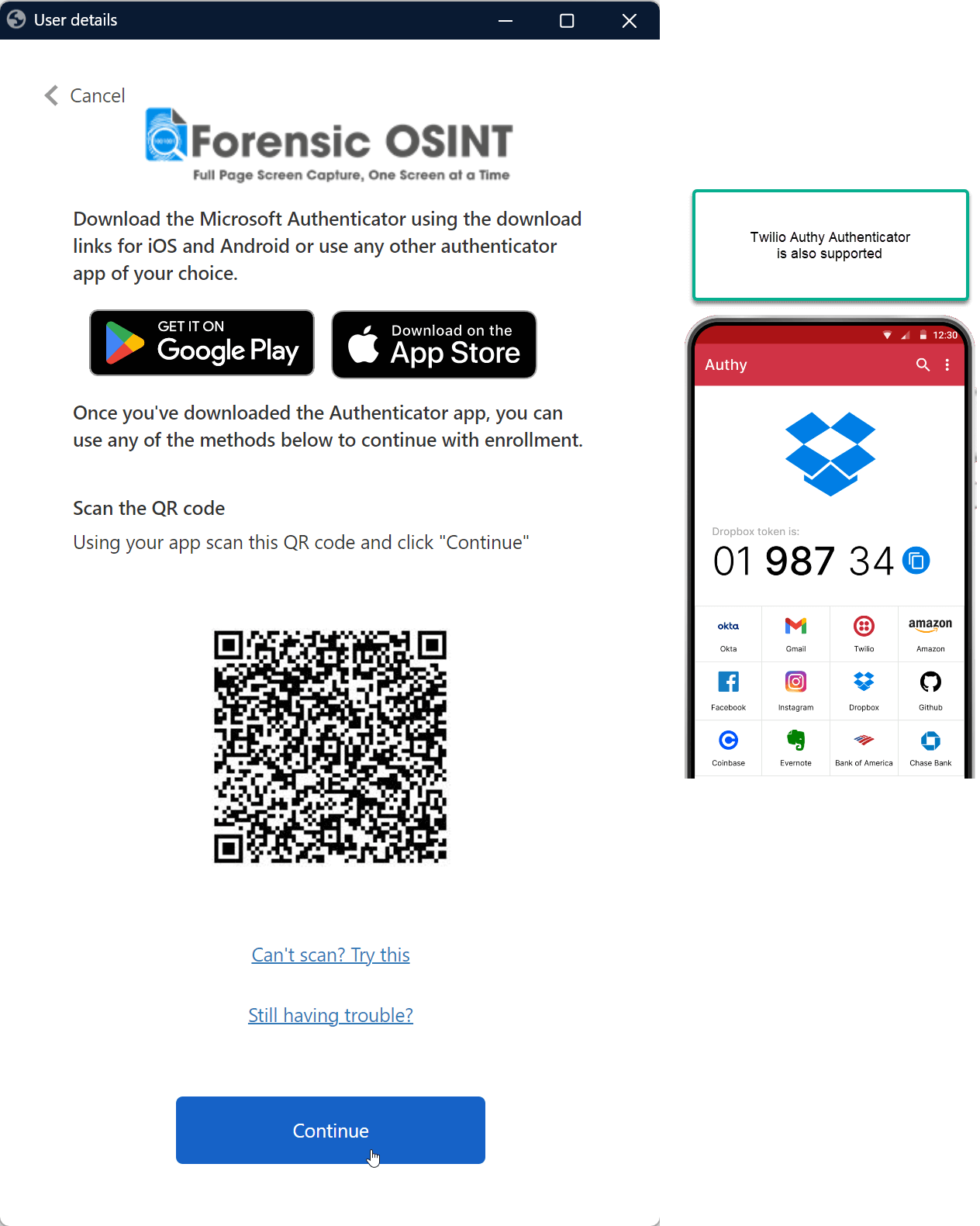
For security, you'll need to set up an authenticator app. Scan the QR code with your authenticator app (Google Authenticator, Authy, Microsoft Authenticator, etc.).
Tip: Save your backup codes in a secure location in case you lose access to your authenticator app.
Enter the authentication token
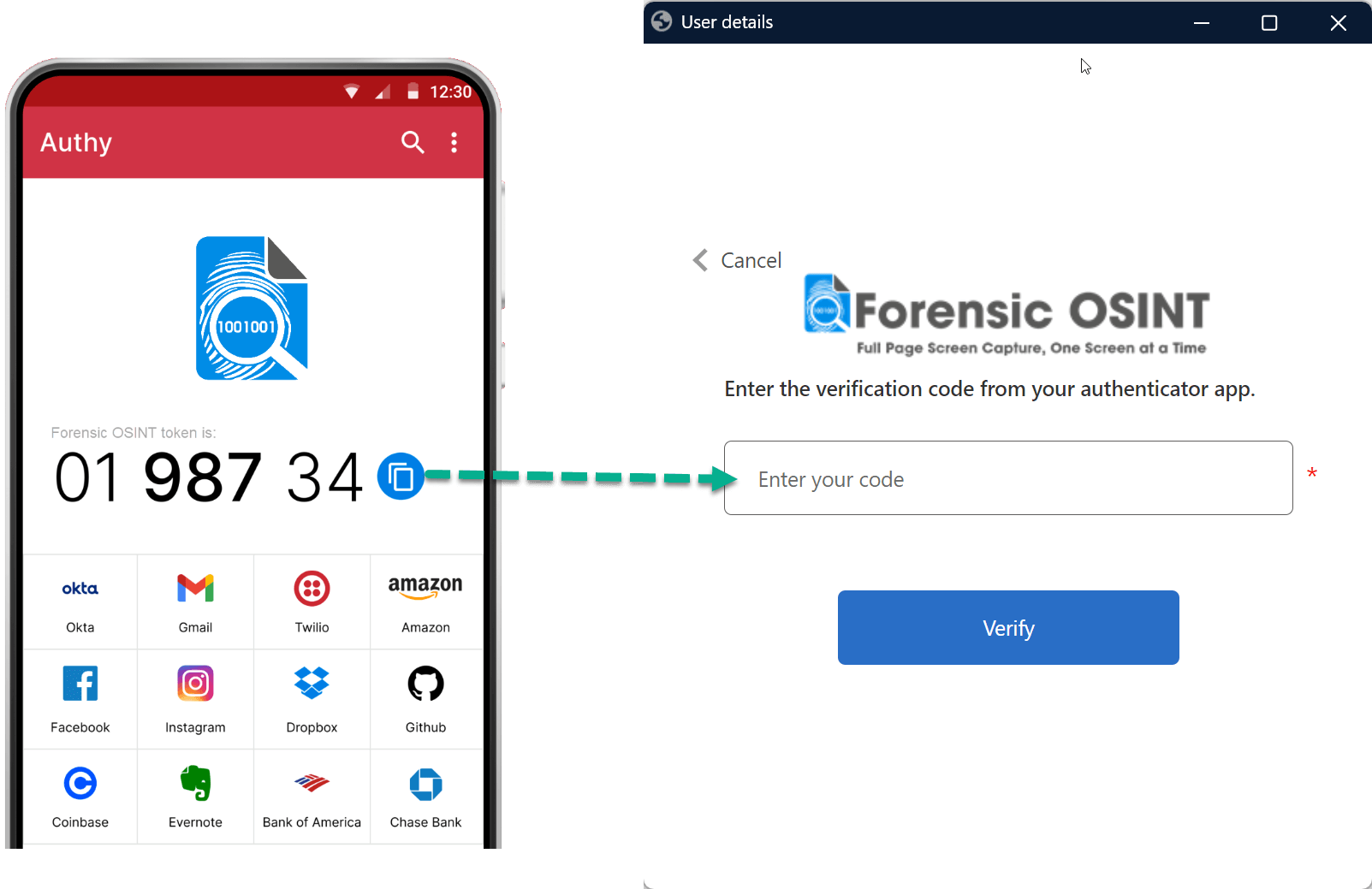
Open your authenticator app and enter the 6-digit code into the login form to complete verification.
You're logged in!
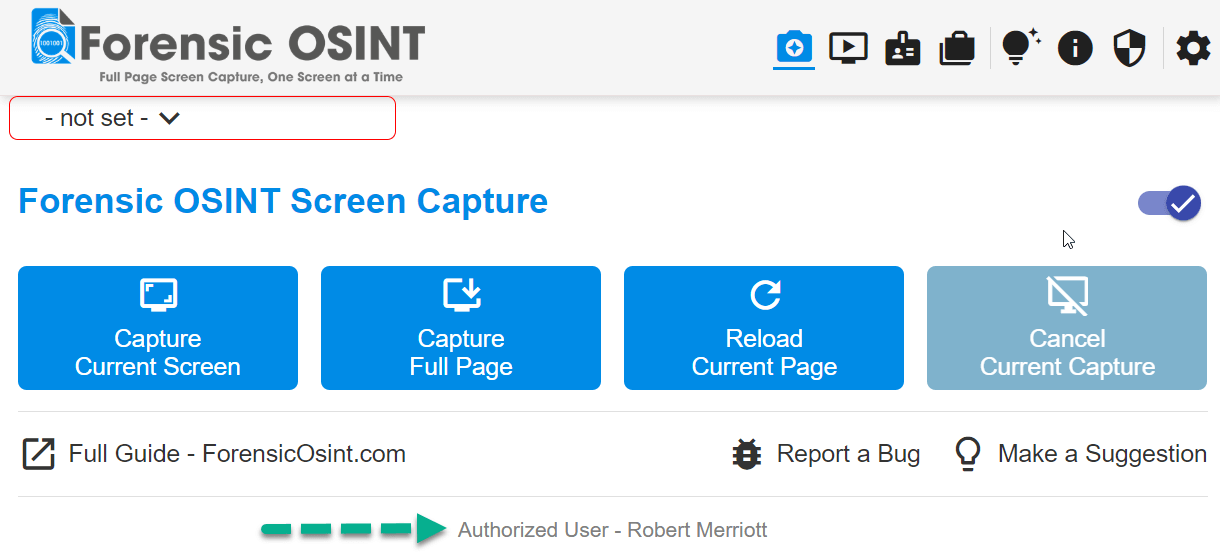
After successful login, your name will appear at the bottom of the extension. You're now ready to start capturing evidence.