
What's New
Release notes for the Forensic OSINT browser extension. See what's been added, improved, and fixed.
Version 3.3.0
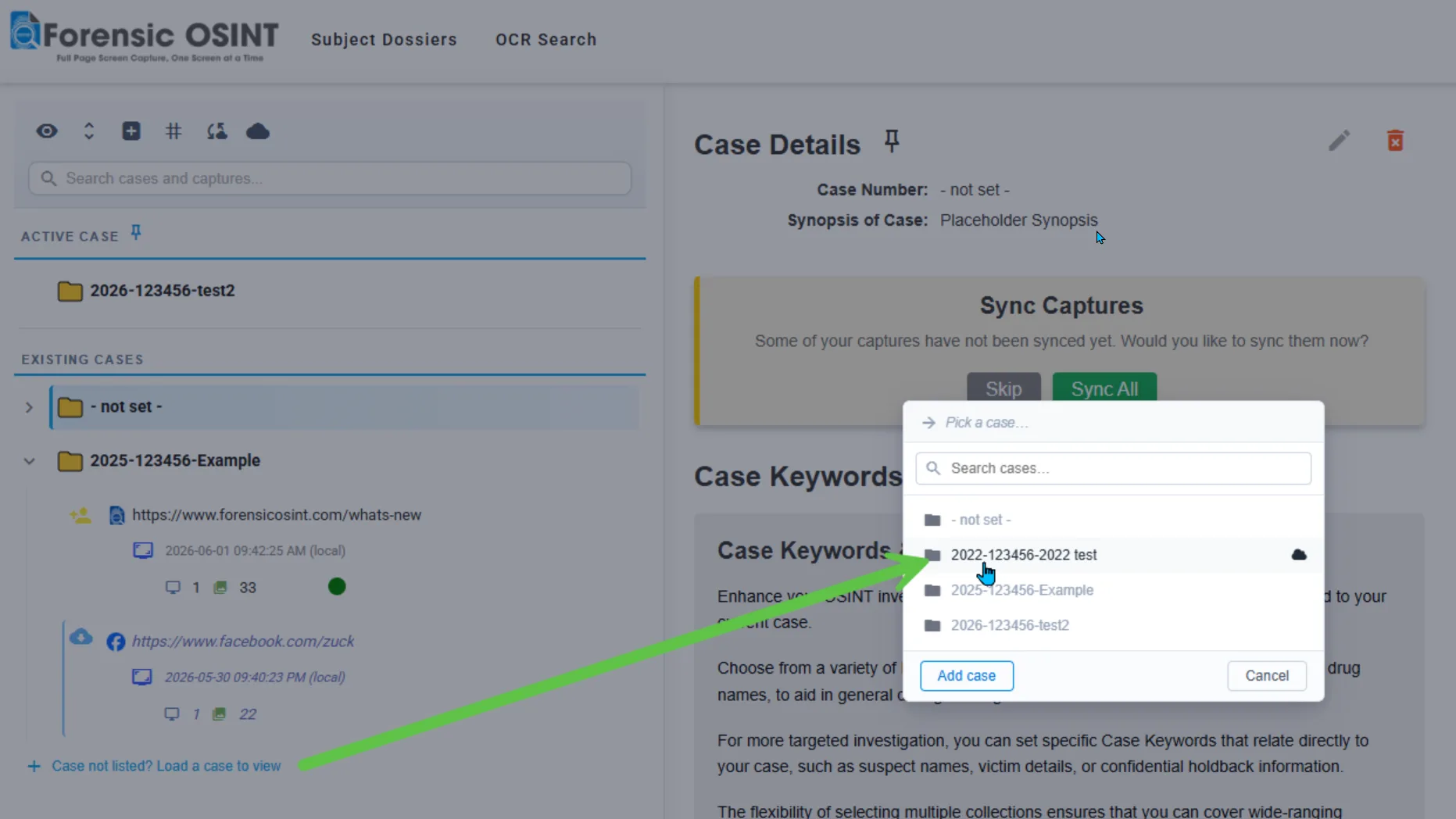
June 8, 2026- Load Any Case into the Side Tree: Pull a case that lives only on your managed backend server — like one you started on another computer, or an older case — straight into the side tree, so switching machines or revisiting past work no longer means hunting for it.
- Redesigned Subject Dossier Linking: A clearer flow for linking captures to a dossier by page, domain, or social profile — with likely-match highlighting to surface the right subject.
- Smarter Case Prompts: The active case is now highlighted when it hasn't been set, nudging you to file captures correctly — while staying out of the way once a case is chosen.
- Move Captures Between Cases: Reassign one or many captures to a different case, individually or in bulk, from the capture, Subject Dossier, and sync views.
Release History
Version 3.3.0
June 8, 2026New Features & Improvements
- Load Any Case into the Side Tree: Until now, the side tree only listed cases that had captures downloaded to the computer you're on. A case stored only on your managed backend server — one you started on another machine, or an older case you haven't touched in a while — simply wouldn't appear, which left investigators confused about where their work went. Now a “Case not listed? Load a case to view” link in the sidebar lets you pick any case and pull it straight into the tree, where its server-stored captures load on demand. Cases already in the tree are clearly marked as loaded, and when every case is already there the link tells you so at a glance. Loaded cases stay put after a refresh, and you can remove any one from the tree whenever you like. Your full case history is always reachable, no matter which computer you're working from.
- Redesigned Subject Dossier Linking: Linking a capture to a Subject Dossier is now far clearer about exactly what you're linking. When a capture isn't linked yet, a redesigned decision panel asks how you want to group it — by page or by domain for regular sites, or as a single social media profile for Facebook, Instagram, TikTok, and X. The link review screen names that scope loudly, with platform branding for social profiles, so there's no guessing whether you're linking one page or an entire domain. We also added a likely-match highlight: when a capture's username matches an alias on an existing dossier, that dossier is tinted green and flagged with a “Likely match” pill so you can connect it to the right subject at a glance. It's always a hint, never an assumption — you stay in control of every link.
- Smarter Case Prompts (Case Not Set): Setting a case is still optional, but it's no longer easy to forget. When no case is set, the case indicator is now highlighted to prompt you to choose one before capturing — helping ensure evidence lands in the right place from the start. Once a case is set, the indicator returns to a subdued state so it stays out of your way, and you can still edit or switch the active case any time you like.
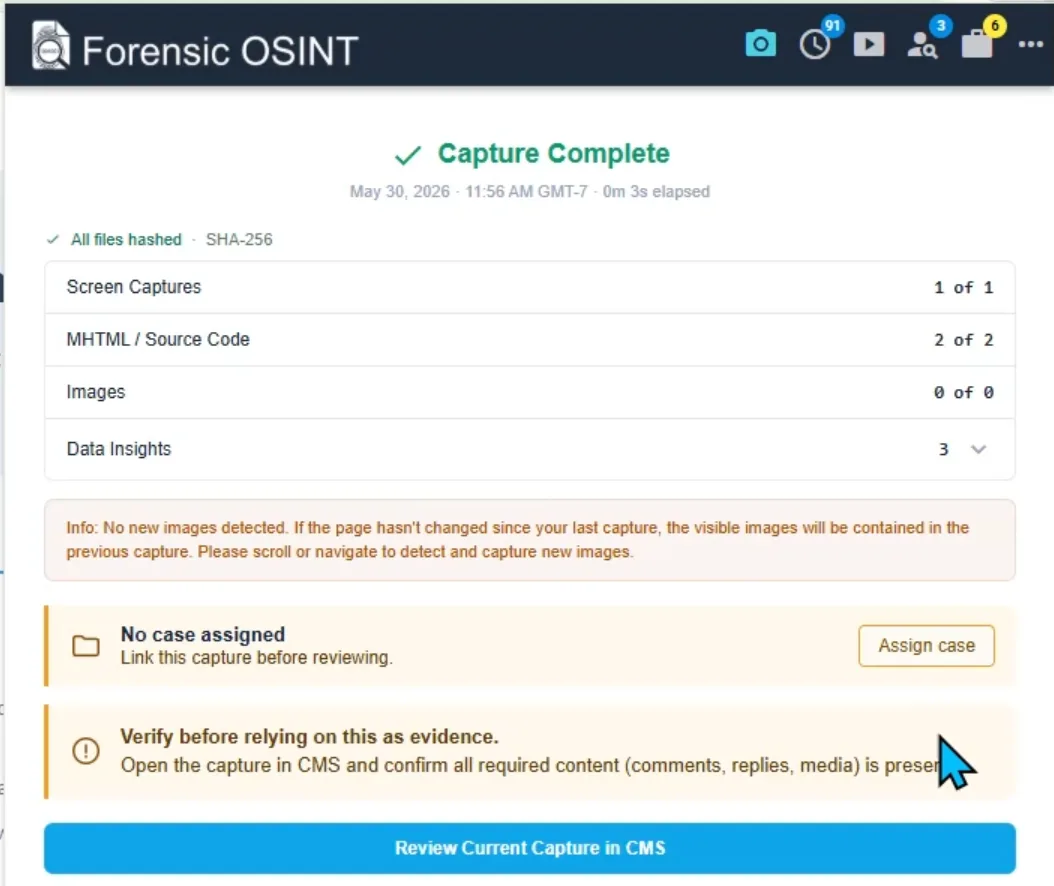
- Move Captures Between Cases: Investigations evolve, and a capture you filed under one case sometimes belongs in another. You can now reassign captures — one at a time or many at once — to a different case. It works for captures stored locally as well as those already synced to your backend, and you can make the change wherever you happen to be: at the individual capture level, in bulk from the Subject Dossier view, or right from the sync page using the same checkboxes you already use for downloading.
Bug Fixes
- Various bug fixes and refinements across the Subject Dossier, case management, and capture workflows.
Version 3.2.0
May 14, 2026New Features & Improvements
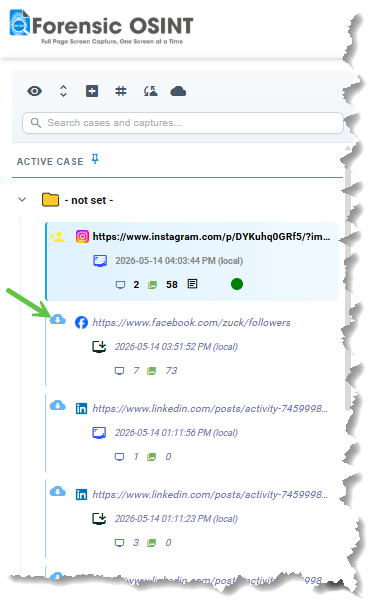
- Server-Stored Captures in Tree View: Your entire capture history from your managed backend server is now visible directly in the side tree, not just what's stored locally on your machine. Every capture across every device you've ever used is now at your fingertips. Captures held only on the server are clearly marked with a dedicated icon — click any one to instantly pull it down to your local workstation for full review. This means you can work from any computer with Forensic OSINT installed and access your complete investigative history without manually syncing or hunting through old machines. Your evidence follows you, not the other way around.
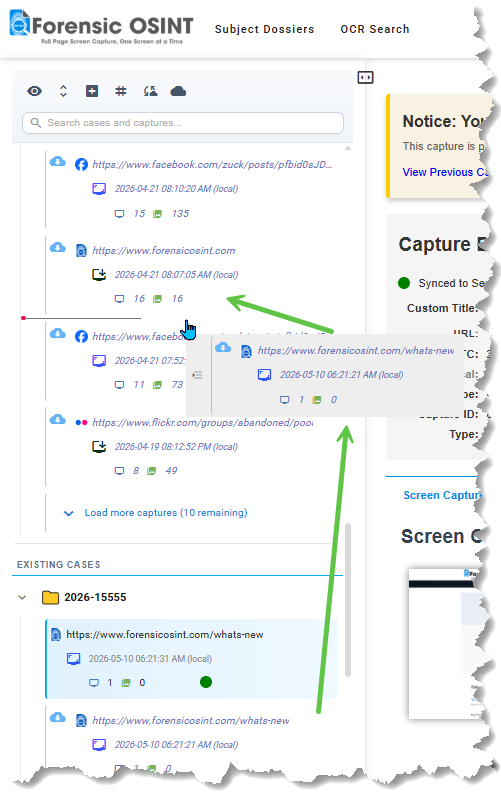
- Redesigned Drag and Drop Tree: The side tree has been rebuilt from the ground up for moving captures between cases. Grab any capture and drop it into a different case — the new interaction is precise, responsive, and forgiving. No more fighting with finicky drop zones or wondering whether the move actually registered. Reorganizing captures across cases is now a genuinely fast operation, which matters when intelligence develops and a capture you filed under one investigation turns out to belong somewhere else entirely.
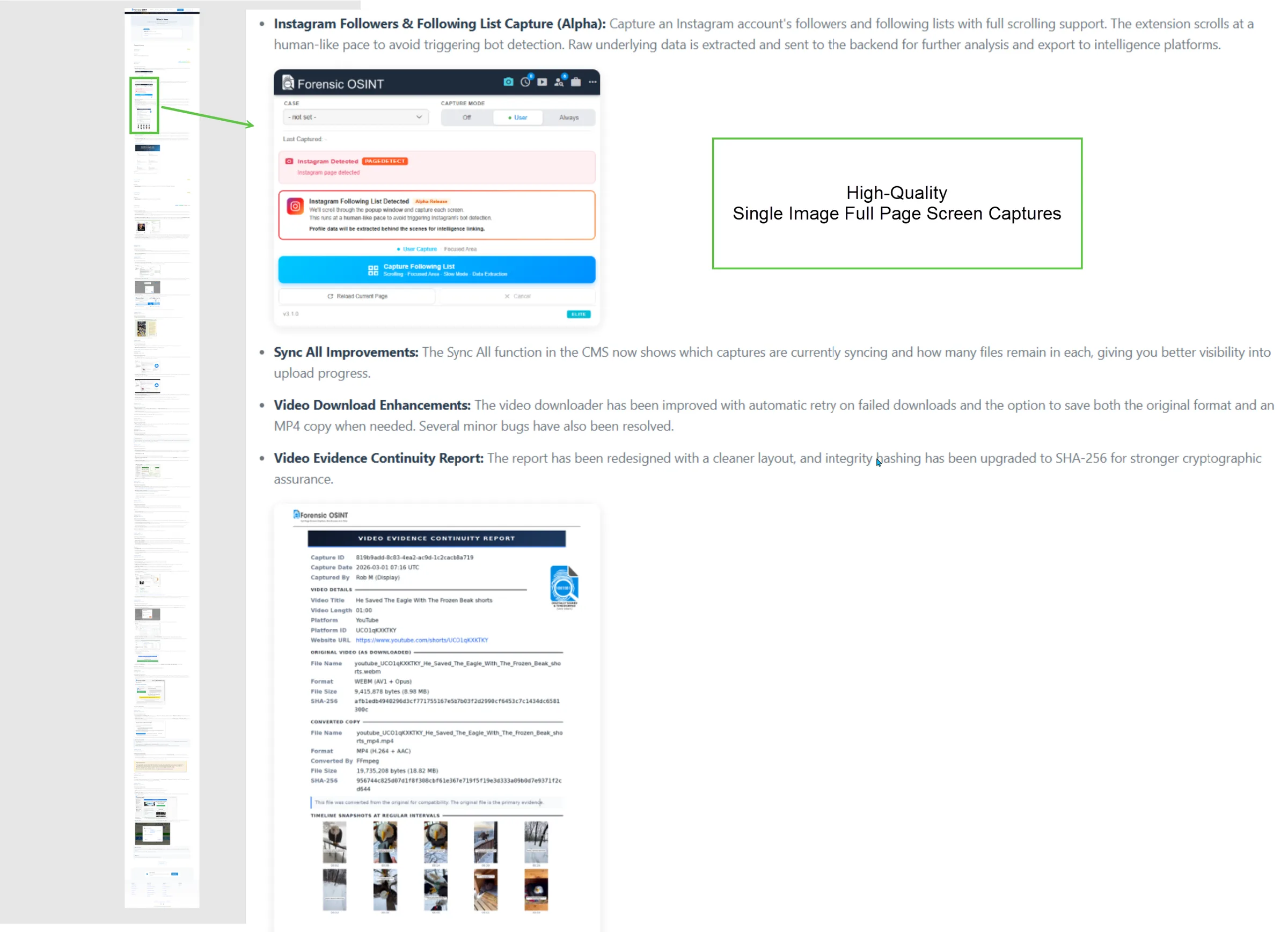
- Single Image Full Page Screen Capture: A new capture mode that produces the entire page as one continuous high-quality image, ideal for visual review, reports, and quick sharing. You can run it as a standalone quick capture (great for non-evidentiary work where you just need a clean visual of the full page), or it's automatically included as part of every standard Full Page capture going forward. That means every court-ready capture now ships with both the granular screen-by-screen evidence and a single stitched full-page image in the same package — no extra step, no extra time.
Tune the settings for your computer →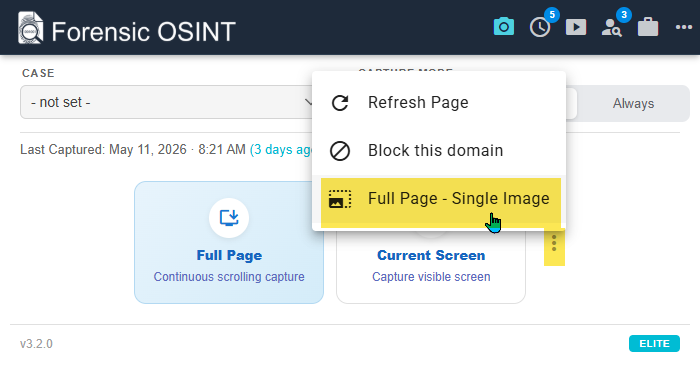
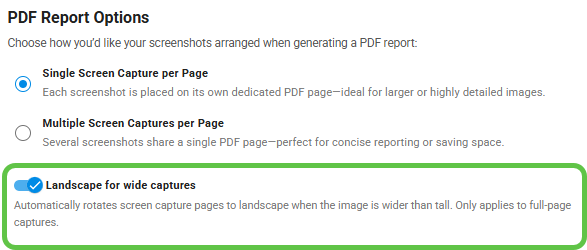
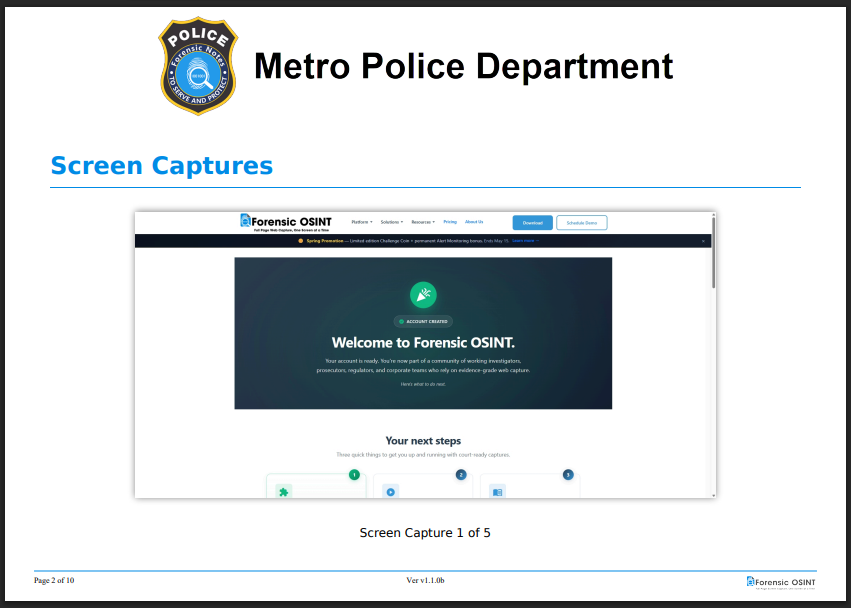
- Landscape PDF Reports for Wide Captures: Most modern web captures are wider than they are tall — 16:9 layouts, dashboards, social media feeds, video players. Forcing those onto a portrait PDF page leaves huge empty margins above and below the image and shrinks the actual evidence to the point where fine detail gets lost on a printed page. With the new Landscape for wide captures option enabled in PDF Report Options, full-page screen captures that are wider than tall now automatically rotate to landscape inside the report. The image fills the page edge-to-edge, fine UI text stays legible after printing, and reviewers don't have to squint or zoom in on a PDF reader to read what was on screen. Portrait captures still render portrait — only wide captures rotate, only when it actually helps.
Bug Fixes
- Plus a number of bug fixes and smaller refinements across the application.
Version 3.1.1
March 18, 2026Bug Fixes
- Minor bug fixes and stability improvements.
Version 3.1.0
March 4, 2026New Features & Improvements
- Redesigned Extension UI/UX: The extension has a fresh, modern interface built for clarity and speed. Navigation is cleaner, controls are easier to find, and the overall experience feels more polished. The Case Management System (CMS) UI update will follow in a future release.
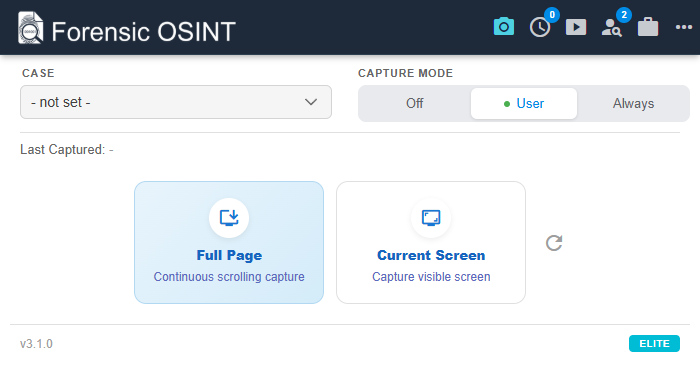
- Instagram Followers & Following List Capture (Alpha): Capture an Instagram account's followers and following lists with full scrolling support. The extension scrolls at a human-like pace to avoid triggering bot detection. Raw underlying data is extracted and sent to the backend for further analysis and export to intelligence platforms.
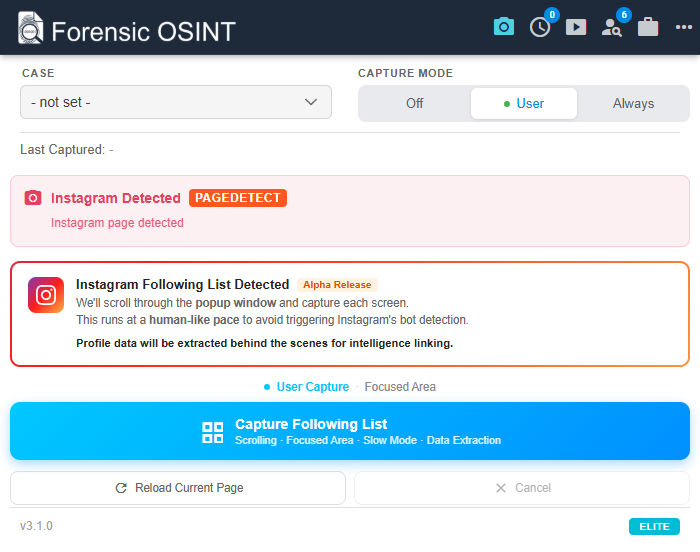
- Sync All Improvements: The Sync All function in the CMS now shows which captures are currently syncing and how many files remain in each, giving you better visibility into upload progress.
- Video Download Enhancements: The video downloader has been improved with automatic retry on failed downloads and the option to save both the original format and an MP4 copy when needed. Several minor bugs have also been resolved.
- Video Evidence Continuity Report: The report has been redesigned with a cleaner layout, and integrity hashing has been upgraded to SHA-256 for stronger cryptographic assurance.
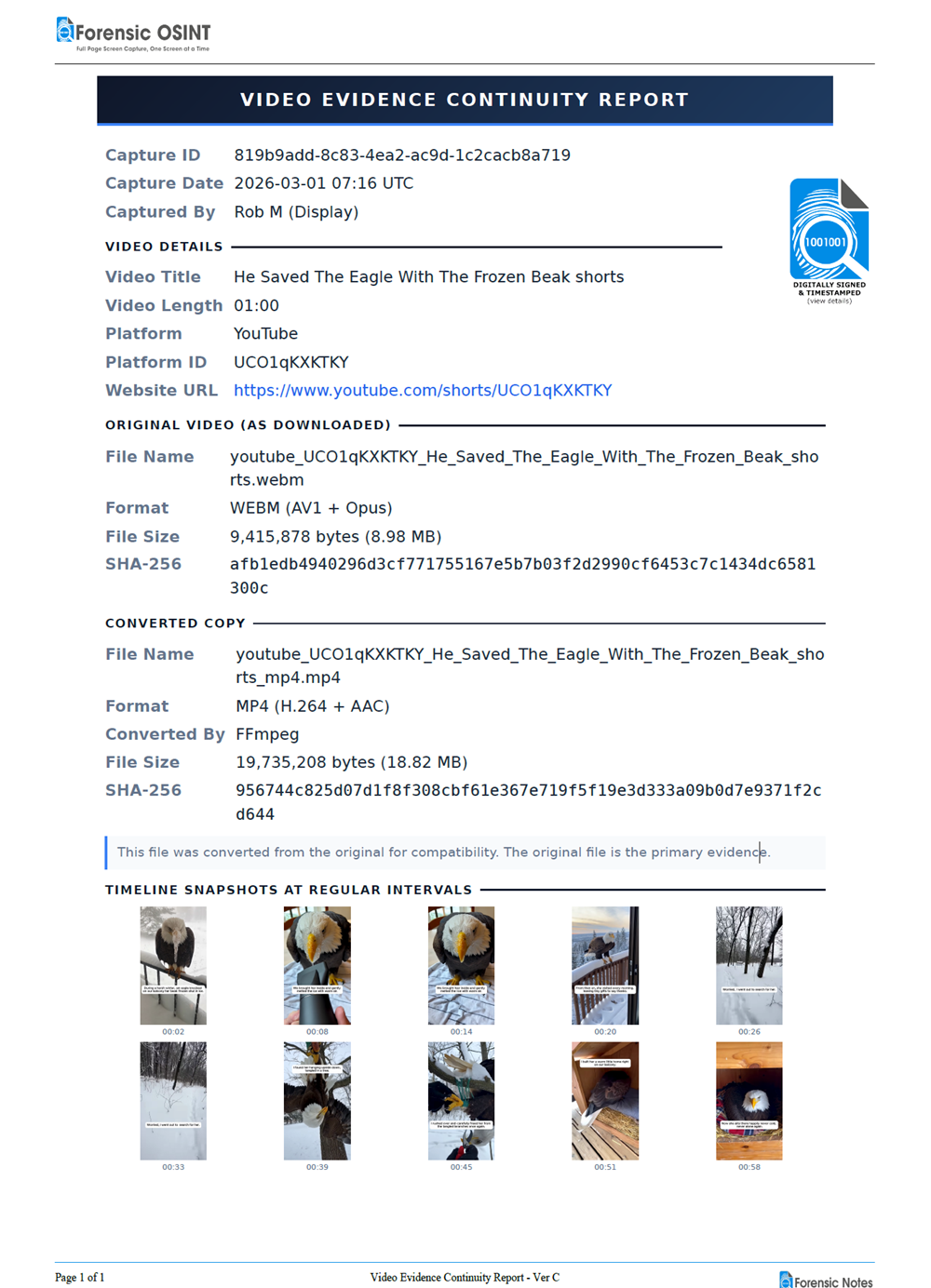
- YouTube Multi-Embed Detection: The video downloader now detects multiple embedded YouTube videos on a single page, letting you download each one directly without navigating to YouTube first.
- Edge Browser Extension: Forensic OSINT is now available as a Microsoft Edge extension. Use the same capture, reporting, and analysis tools you rely on in Chrome, directly in Edge.
- Free OSINT Investigation Tools: A full suite of investigation tools is now available, including IP Lookup, Domain to IP, Username Search, OSINT Timestamp Decoder, Email Header Analyzer, and Forensic Image EXIF Reader. All tools except IP Lookup and Username Search run entirely client-side, keeping your data off the network. No query data is tracked or recorded.
Explore Free OSINT Tools →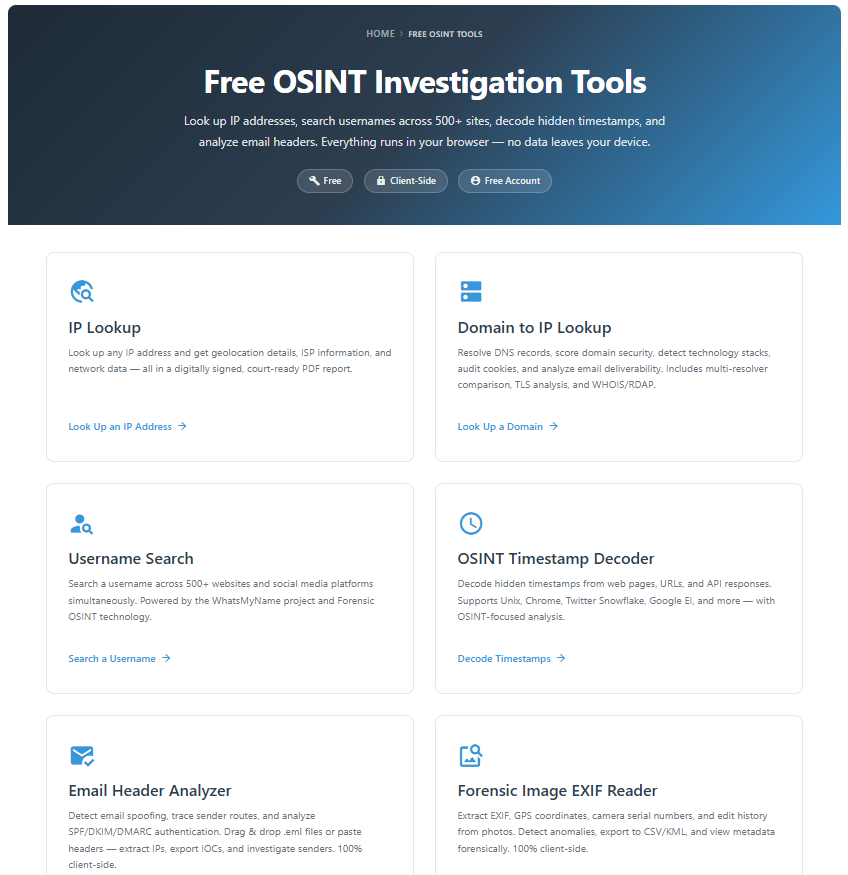
Bug Fixes
- General performance improvements and bug fixes across the extension.
Version 2.9.4
February 7, 2026Bug Fixes
- Minor Bug Fixes: This release addresses minor issues identified in earlier 2.9.x versions, improving overall stability and reliability.
Version 2.9.3
February 4, 2026Bug Fixes
- Major Bug Fixes: This release addressed critical bugs identified in the v2.9 release.
Version 2.9
February 1, 2026New Features & Improvements
- 5-6x Faster Static Page Captures: Static page captures now complete 500-600% faster. Dynamic pages also see significant improvements while maintaining the deliberate timing required to avoid detection on social media platforms.
- SHA-256 Integrity Hashing: All captures now use SHA-256 for hash verification, replacing SHA-1. SHA-256 provides stronger cryptographic assurance that evidence has not been altered and is the current federal standard for digital evidence integrity.
- X (Twitter) Comment Expansion — BETA: Capturing nested replies on X has always been challenging due to the platform's dynamic loading. The new Investigator Side Panel gives you control over which comment threads to expand and capture, ensuring nothing is missed. We're actively seeking feedback to refine the workflow.
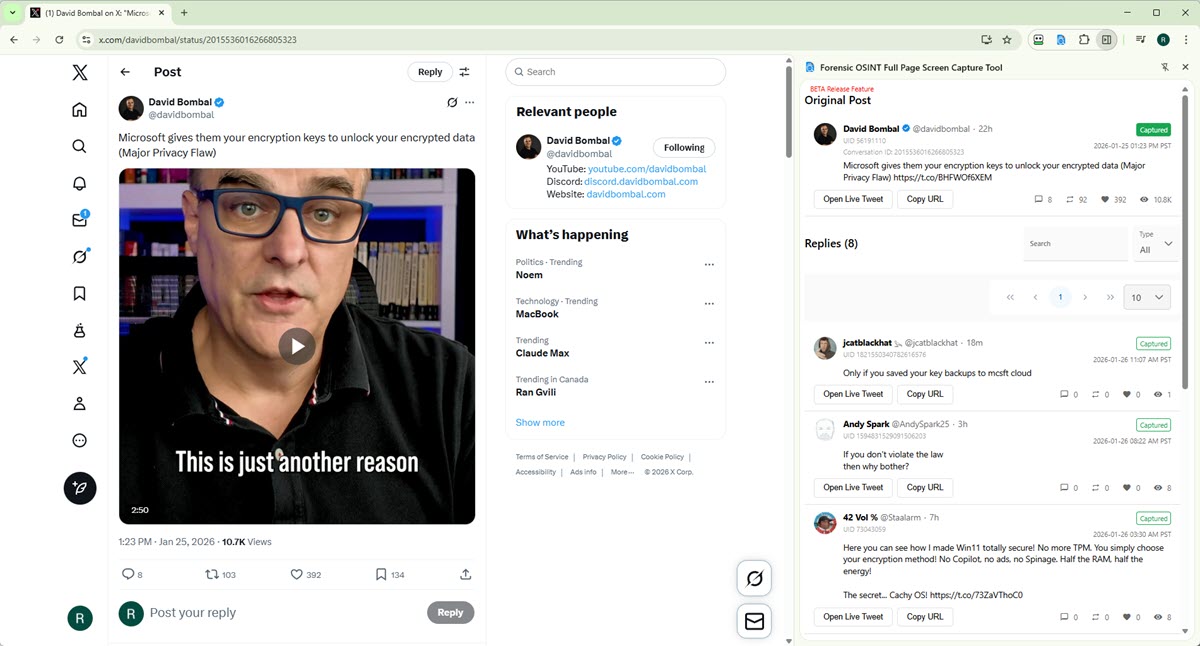
- Focused Captures (ELITE): ELITE users can now perform Focused Captures on Facebook, X (Twitter), TikTok, and Instagram. Focused Captures isolate the comments section from the surrounding page, producing large, clear images in your reports — ideal for presenting comment evidence in court without distracting sidebars, ads, or unrelated content.
- Subject Dossier: Domain & Page Linking: Link captures to Subject Dossiers at either the domain level or individual page level. Domain-level links automatically roll up all captures under that domain, while page-level links provide granular control — all linked evidence appears in one place.
Version 2.8.6
December 15, 2025
New Features & Improvements
- GPU-Accelerated Hashing and Thumbnail Generation: Hashing and thumbnail generation have been significantly optimized and will now automatically use your GPU when available. This can improve processing speed by approximately 5 to 7 times, reducing wait times when working with large or high-volume captures.
- Report Download Stability Fixes: Resolved an issue that could cause some systems to crash during report downloads, improving overall stability and reliability when generating and exporting reports.
Version: 2.8.5
Release Date: December 11, 2025
New Features & Improvements
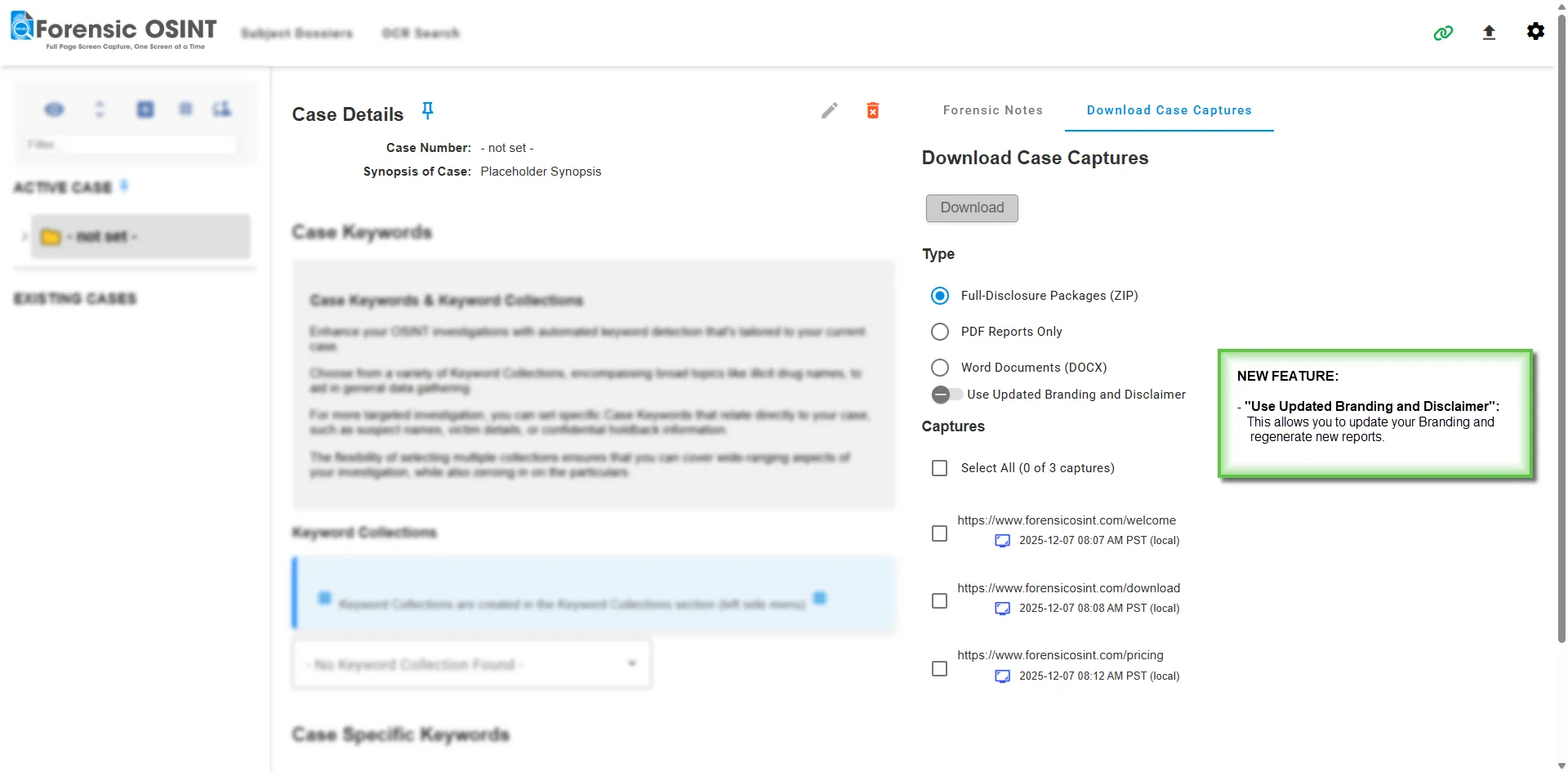
- Download Case Captures with Updated Branding: The Case Download panel now lets you regenerate captures with your latest branding and disclaimer applied. ELITE users can also download refreshed Word (DOCX) reports in addition to PDFs and full-disclosure packages.
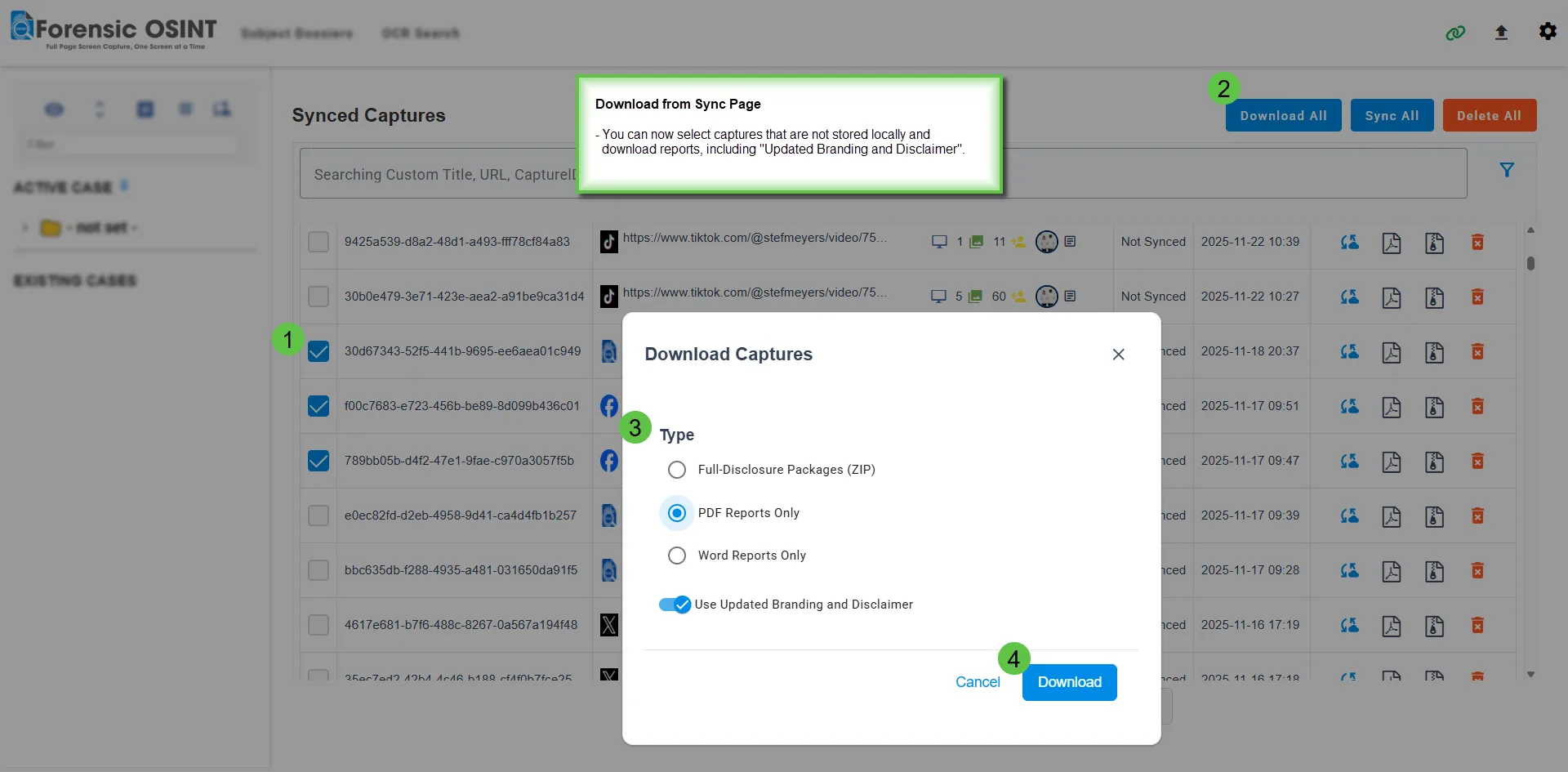
- Download Captures from the Sync Page: You can now download captures that are no longer stored locally but have already been synced to your backend server. This greatly reduces local resource usage for large or numerous captures, shifting all heavy work to the backend — including generating new reports with your updated branding.
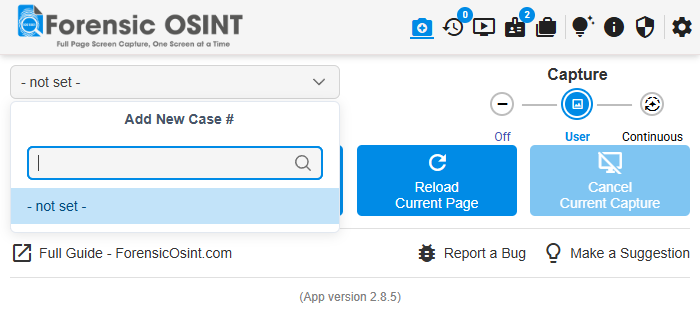
- Improved Case Selector: The Case Selector has been redesigned to make navigating large case lists faster and more intuitive. You can now view all cases in one place and quickly search to find the exact case you need, even when managing extensive or long-running investigations.
- Additional improvements and workflow refinements to support faster report regeneration and more flexible capture retrieval.
Version: 2.8.4
Release Date: December 6, 2025
New Features & Improvements

- TikTok Capture Improvements: Added full support for TikTok’s mobile layout, allowing more consistent captures across both desktop and mobile views.
- General performance tuning and minor stability updates.
Version: 2.8.3
Release Date: November 22, 2025
New Features & Improvements
- TikTok Capture Improvements: Expanded support for additional TikTok page types, improving capture reliability and coverage across the platform.
- MS Word Export Enhancements: Improved formatting and layout for exported Word reports.
- Various bug fixes, performance optimizations, and minor UI refinements.
Version: 2.8.1
Release Date: October 30, 2025
New Features & Improvements
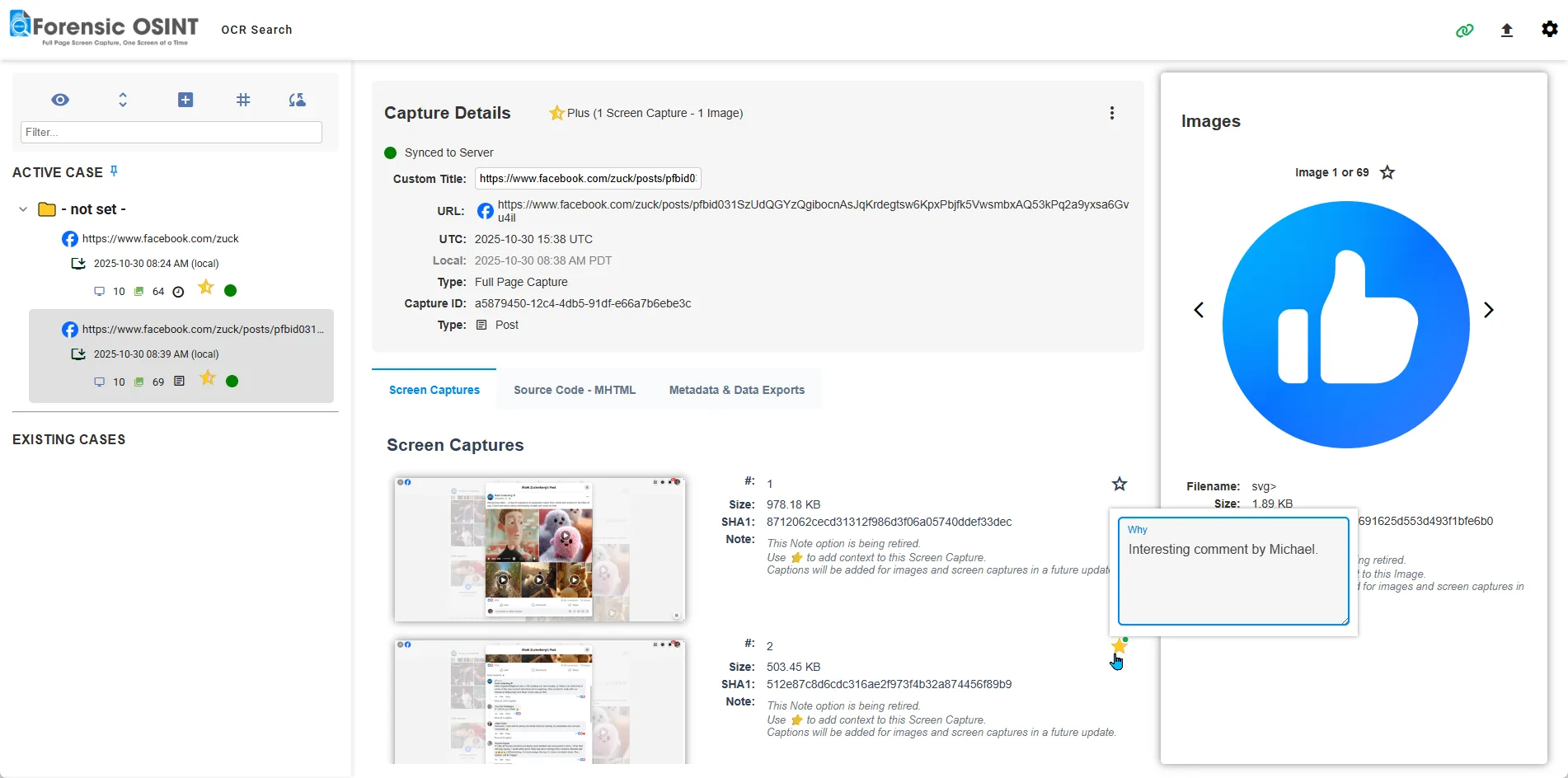
- Star Captures & Notes: Quickly mark important captures with a star and attach short notes to highlight key findings. This helps investigators identify items of interest and easily refer back to them later in the investigation or during report preparation.
- OCR PDFs & Global OCR Search: Search across all captures—including text found inside images and PDF reports. Instantly locate names, numbers, or phrases across your entire synced collection for faster case analysis.
📄 Note: OCR is applied to new captures or when existing reports are regenerated. Older captures will not be OCR’d automatically.
- New “Connect to Backend” Dialog: A guided setup dialog now walks users through connecting to their backend (Managed or On-Premise). This improvement makes first-time setup faster and reduces confusion for new users.
- Improved Report Generation: Fixed an issue that could occasionally cause blank pages in reports when handling larger screenshots.
- Optimized Syncing: Syncing is now significantly faster and more stable, particularly for those working with slower or high-latency connections.
- Various other minor bug fixes and general performance improvements throughout the extension.
Version: 2.7.6
Release Date: October 13, 2025
New Features & Improvements
- ESSENTIAL Upgrade: Now includes 20 Page Scrolls and Captures plus 50 Video Downloads per year (previously 4 and 15). A major enhancement for users needing broader coverage without moving to ELITE.
- TikTok Post Date Extraction: Capture and display the exact date and time of TikTok posts—no more generic “3 months ago.” This allows investigators to add verified post dates to reports and quickly locate key posts within the Case Management Console.
- Optimized syncing for faster uploads to backend server, particularly on slower connections.
- Various minor bug fixes and performance improvements.
Version: 2.7.5
Release Date: September 28, 2025
New Features & Improvements
- 📅 Expanded Case Year Support: You can now create and manage cases from earlier years — including 2020, 2021, and 2022. Previously, the dropdown only supported 2023 onward, which limited users working on legacy or cold cases.
- Minor Bug Fixes: Ongoing improvements to stability and performance.
Version: 2.7.4
Release Date: September 18, 2025
New Features & Improvements
- Performance Optimization: Significant improvements to memory usage and stability during capture sessions. This update helps prevent browser slowdowns or crashes — especially when working with large or complex web pages over extended periods.
Additional Notes
If you've experienced lag or instability in the past, you should notice smoother performance with this release. We’re continuing to refine the extension to ensure it’s fast, reliable, and ready for your most demanding investigations.
Version: 2.7.3
Release Date: September 14, 2025
New Features & Improvements
- ✅ Essentials Plan Introduced: We've simplified our pricing tiers by retiring PRO and launching the new Essentials plan. Essentials is designed for solo investigators who need forensic-grade evidence capture without advanced team features. Includes unlimited captures, signed PDF reports, video downloads, and more — all for just $157/year.
Launch Special: $130 / year
🔒 Existing PRO subscribers remain fully supported as long as their subscription is active. - 📆 Facebook Account Creation Date: We now extract and display the account creation date for Facebook profiles within Data Insights — helping you verify authenticity and build accurate timelines.
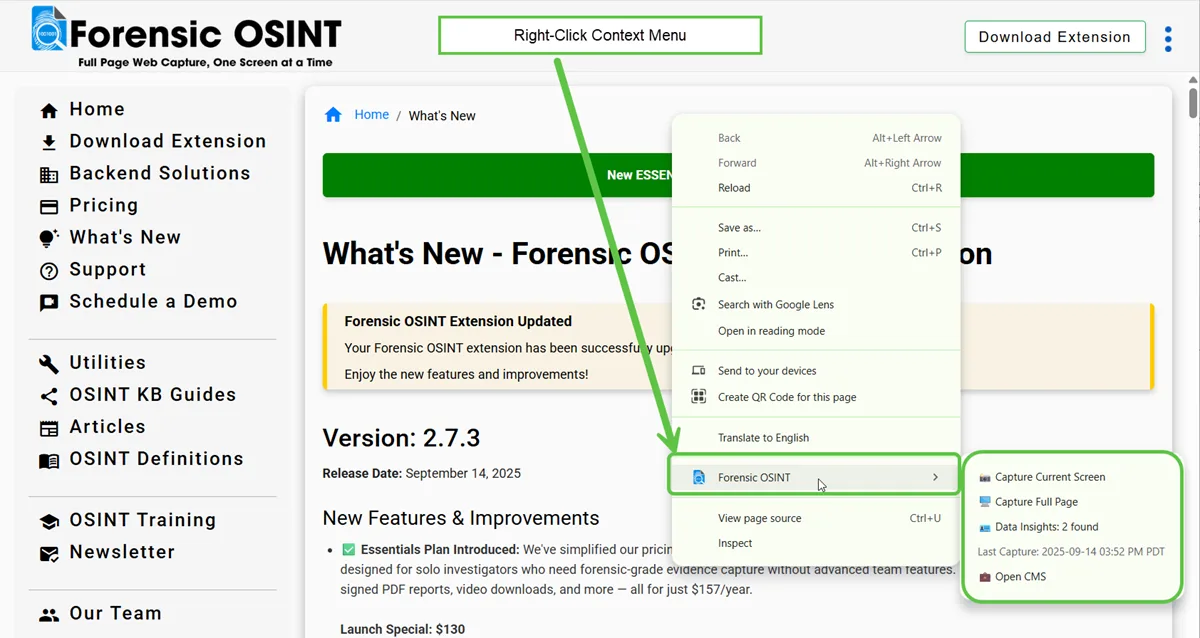
- 🖱️ Right-Click Context Menu: Quickly access Forensic OSINT actions directly from your browser’s right-click menu. Capture the current screen, full page, or open the CMS without needing to open the extension popup.
- 🐞 Bug Fixes & Performance Enhancements: Minor improvements to syncing, UI consistency, and overall performance.
Version: 2.7.1
Release Date: August 17, 2025
New Features & Improvements
- 🎯 Subject Dossier Now Live (ELITE Only): The highly anticipated Subject Dossier module is now available to all ELITE users. It brings together everything you’ve captured about a subject—names, aliases, social media, relationships, and more—into one organized, centralized view.
🔗 https://www.forensicosint.com/subject-dossier-preview - 📘 Facebook Capture Enhancements: Several upgrades improve how Facebook data is captured and classified:
- Automatically logs whether the capture is a Timeline or individual Post.
- Extracts social links and websites listed in the user’s profile.
- Captures publicly visible relationship data (e.g., family members, relationship status) when available.
- 💬 ChatGPT Capture Support: You can now fully capture and document ChatGPT conversations—ideal for preserving prompts and responses in a verifiable format for reference or reporting.
Version: 2.6.7
Release Date: April 30, 2025
New Features & Improvements
- Backend Connection Indicator: A new icon now displays when the extension is connected to a backend server, providing clear visual confirmation.
- User Management Portal (On-Prem Only): Admins on On-Premise setups can now manage team users via a dedicated user management interface.
Bug Fixes
- Active Case Memory Fix: Resolved an issue where the active case was forgotten after the app was left idle for more than 20 minutes. The extension will now correctly retain the active case to ensure new captures go into the correct case.
Version: 2.6.6
Release Date: April 22, 2025
New Features & Improvements
- Team Settings (On-Prem Required): Admin users can now manage team members, including promoting or demoting users between Admin and Investigator roles.
- Team Branding Support (On-Prem Required): Admins can define consistent branding for the entire organization. Once set, the branding is automatically applied to all new captures, eliminating the need for users to manage their own branding settings.
- Active Case Sync Across Tabs: The active case is now pinned at the top and automatically stays in sync across all open CMS windows for better workflow continuity.
- Browser Info Displayed in Captures: Browser and OS details are now included in capture metadata to assist with investigative documentation and reporting.
Bug Fixes & Optimizations
- General performance improvements and minor bug fixes to enhance stability and user experience.
Version: 2.6.5
Release Date: April 3, 2025
New Features & Improvements
- Refined Capture Tree UI: Items in the CMS capture tree are now properly indented, making it easier to distinguish individual captures and their associated details.
- Version Display in Extension: The current app version is now shown at the bottom of the popup extension for easier troubleshooting and support reference.
- Improved Image Navigation: When viewing captured images, you can now use back/forward browser buttons or keyboard arrow keys for faster navigation.
- Reduced MHTML on Comment Pages: Optimized MHTML capture logic to avoid saving excessive versions on comment-heavy pages like Facebook. Instagram capture behavior remains unchanged to ensure complete coverage.
Bug Fixes
- First Capture Sync: Fixed a bug that occasionally prevented the first capture from syncing correctly to the backend server.
- Case-Specific Keyword Alerts: Resolved an issue where case-specific alerts were not working as intended. This feature is now fully functional.
- Improved Deduplication in CMS: Fixed an issue where duplicate images remained if a capture crashed or wasn’t immediately processed. The CMS now removes duplicates automatically.
Version: 2.6.4
Release Date: March 25, 2025
New Features & Improvements
- Optimized Syncing Code: Improved syncing performance and reliability for backend storage solutions.
- Persistent MP4 Toggle Setting: The MP4 download preference now remains enabled across sessions.
- Additional Custom Filename Options: Added new options for customizing filenames, including Capture Date/Time (LOCAL or UTC) and Capture Type.
- Default Case Protection: Default Case is now locked and cannot be modified to maintain consistent case management.
- Favicon Display: Website favicons now appear next to the capture URL in the CMS (tree view and capture details).
- Facebook Video Comments Expansion: Automatically expand comments on Facebook video clips before capturing.
- Import/Export Captures: Securely export and import encrypted captures using CEK/KEK encryption. Ideal for workflows where backend connectivity is not available (e.g., dark web investigations or isolated VM's).
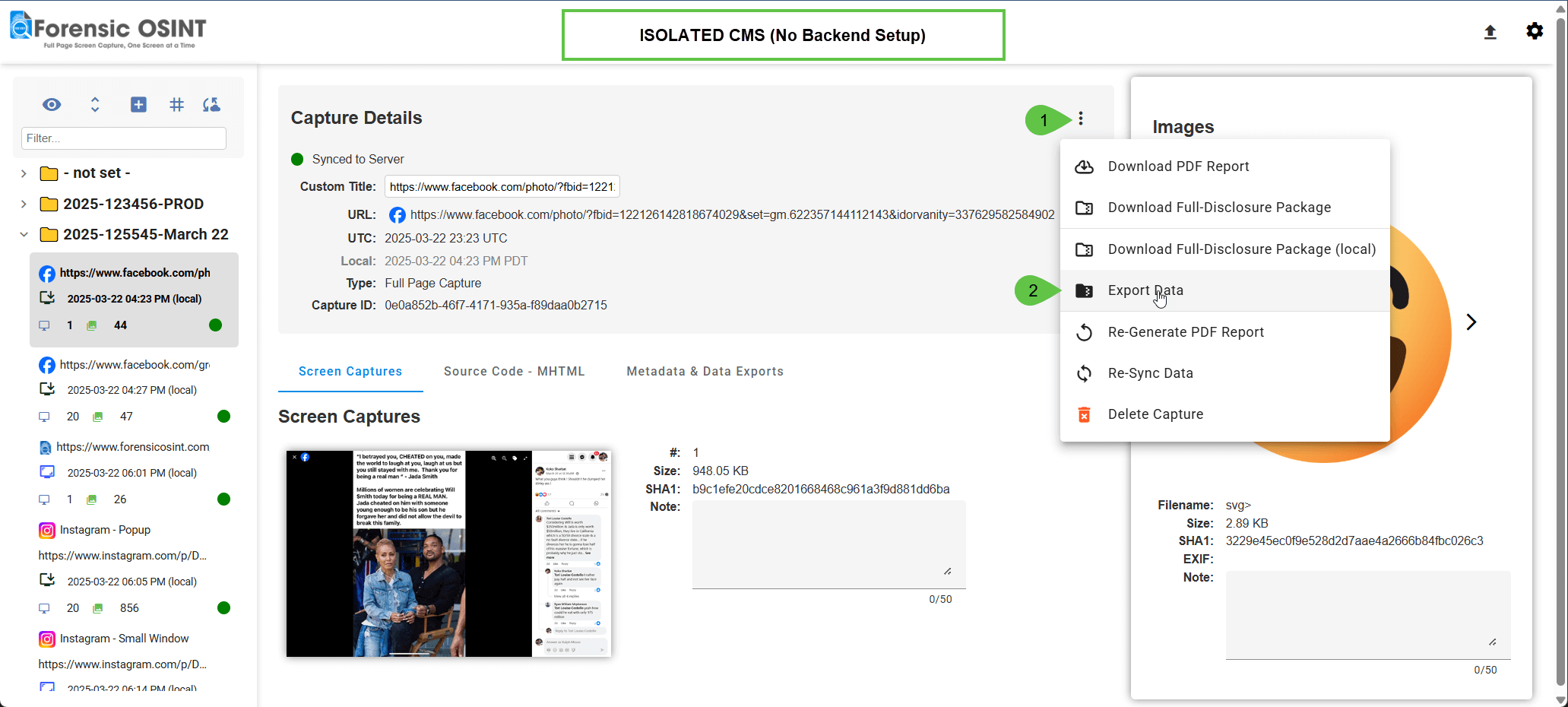
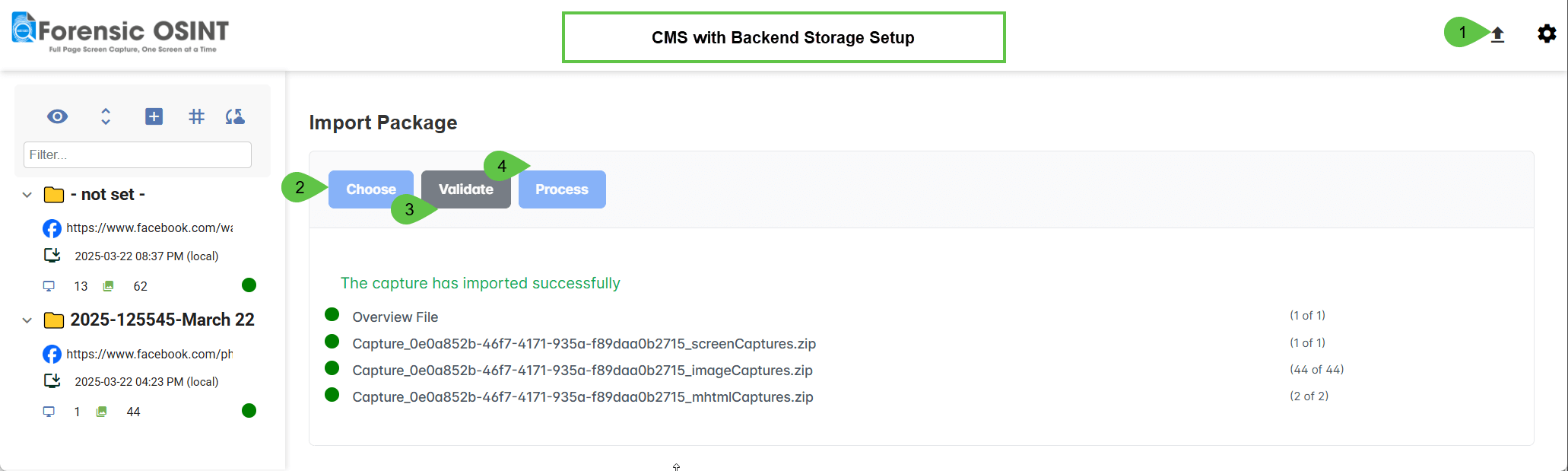 Article: How to Transfer Captures from an Isolated System to a Secure Backend (export / import)
 - Sync All & Delete All Captures: Manage entire cases faster with new options to either sync all captures from the backend server to your Chrome Extension CMS or delete all backend captures in a case to free up storage space. As with individual capture deletion, you can retain the associated PDF report for future reference.
Version: 2.6.3
Release Date: March 14, 2025
Major Enhancements & New Features
- Optimized Facebook & Instagram Comment Expansion: Improved efficiency reduces resource usage while capturing comments, ensuring a smoother experience.
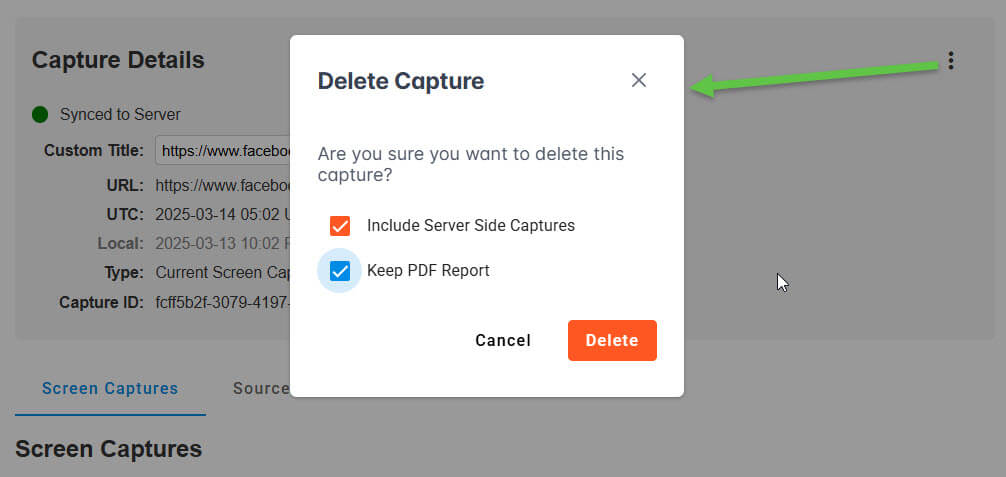
- Delete Captures While Retaining Reports: Free up storage by deleting old cases from the backend while keeping generated PDF Reports for future reference.
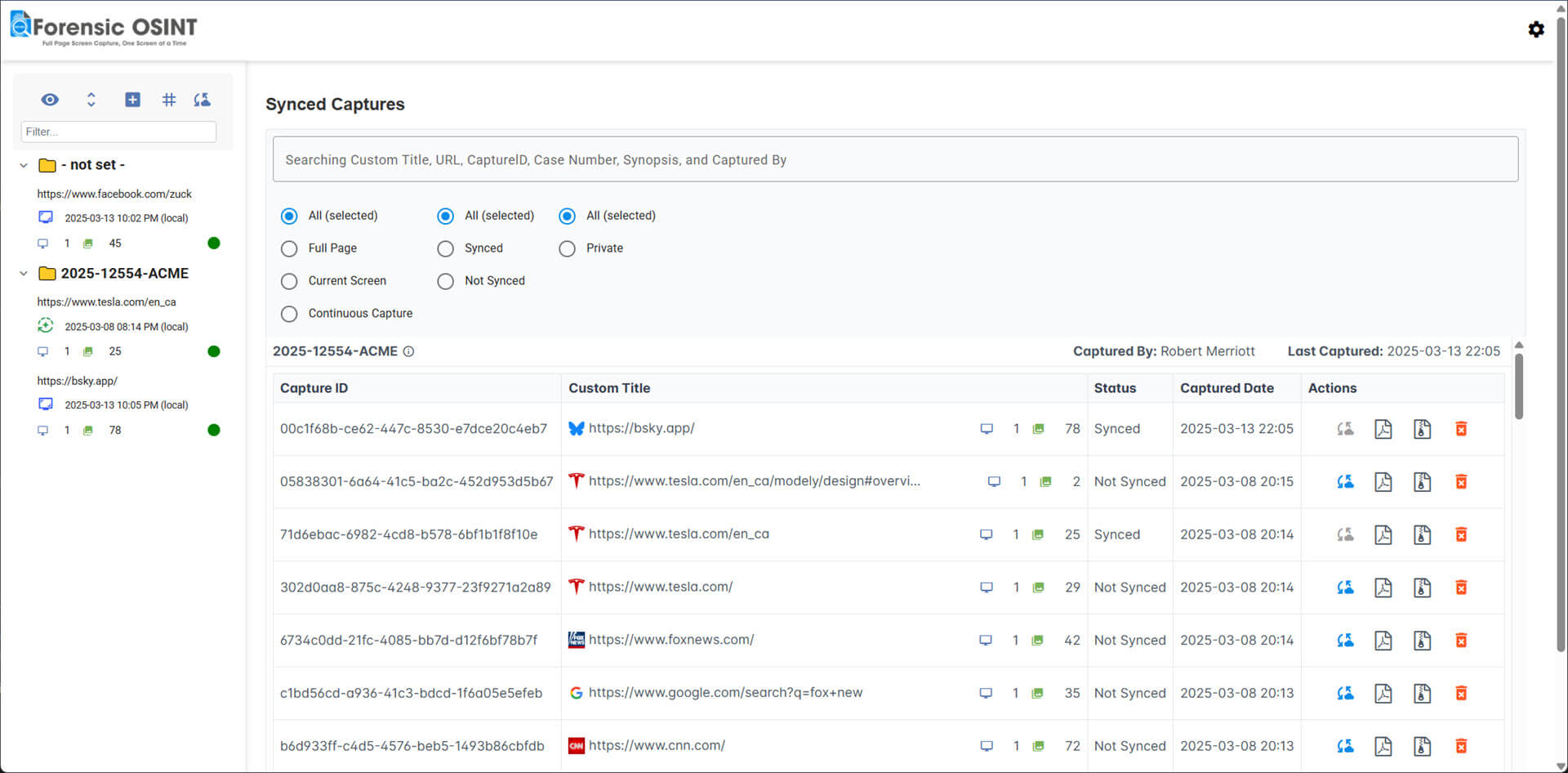
- Redesigned Backend Sync Page: Now grouped by case, providing more details at a glance for better organization and management.
- Improved Case Visibility in Tree View: Case folders are now bold and more distinct, making it easier to identify which captures belong to each case.
- Organized Report Storage: PDF Reports and Full-Disclosure files are now saved in dedicated case folders within your downloads directory for better file management.
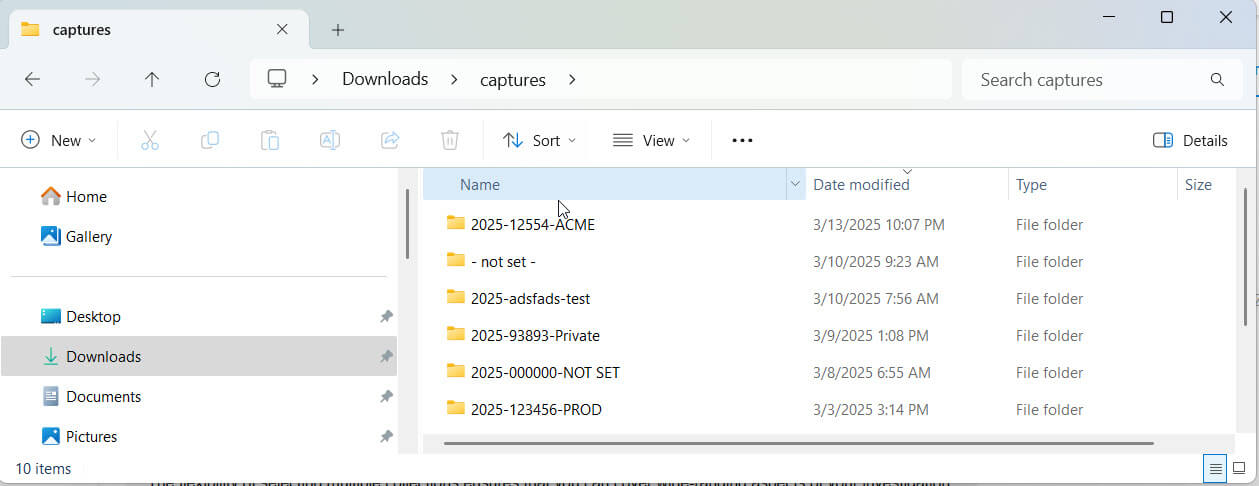
- Customizable Report & Package Filenames: Adjust filenames for PDF Reports and Full-Disclosure packages to align with your organization’s naming conventions.
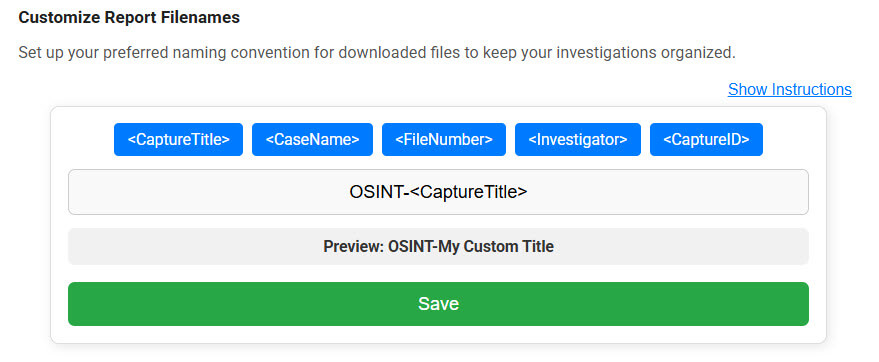
- Hash Table UI Enhancements: Improved interface and duplicate image detection—duplicates are now grouped into a single record, reducing clutter.
Bug Fixes & Optimizations
- Various minor bug fixes and performance improvements to enhance stability and usability..
Version: 2.6.2
Release Date: February 14, 2025
New Features & Improvements
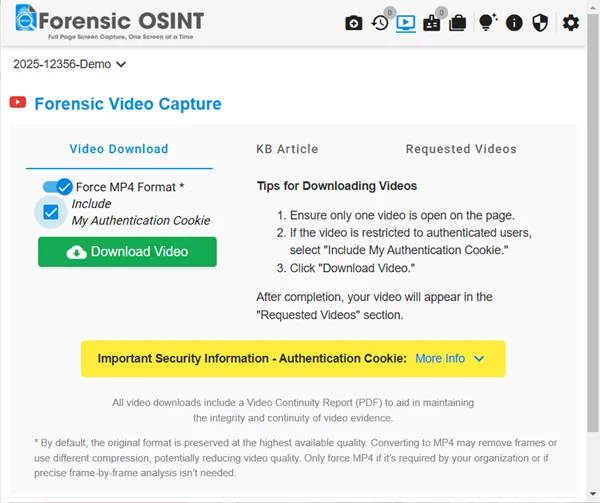
- MP4-Only Video Downloads: By default, the video downloader selects the highest quality format available. However, many organizations, including courts and government agencies, require MP4 format for universal compatibility. A new option now ensures that all downloaded videos are in MP4, meeting compliance requirements and preventing playback issues.
Bug Fixes & Optimizations
- Various minor bug fixes and performance enhancements to improve stability and reliability.
Version: 2.6.1
Release Date: February 12, 2025
New Features & Improvements
- Enhanced Print Option for ELITE Subscribers: ELITE users can now print reports with one screen capture per page for Full Page Screen Captures. This ensures images remain larger and clearer, improving readability in investigative reports.
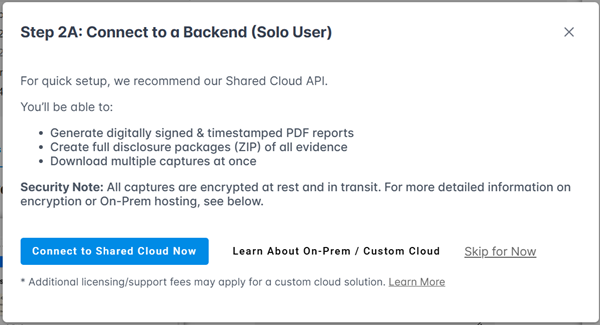
- Backend Syncing Wizard: A new guided setup helps users connect to a backend for syncing captures. Supports both Free Managed Backend storage and On-Premise solutions, ensuring seamless and secure data management.
Why Sync to a Backend?
- Data Backup: Prevents loss by securely storing captures instead of relying on the browser’s database, which may automatically clear stored data when space is needed.
- PDF Generation: Create digitally signed and timestamped PDFs for verifiable documentation.
- Multi-Capture Downloads: Select all captures in a case and download them with one click for efficient evidence management.
Version: 2.5.10
Release Date: February 6, 2025
New Features & Improvements
- Improved Backend Connectivity: Enhanced support for backend storage solutions, including the new Shared Managed Backend Storage, providing a seamless and reliable storage experience for your captures.
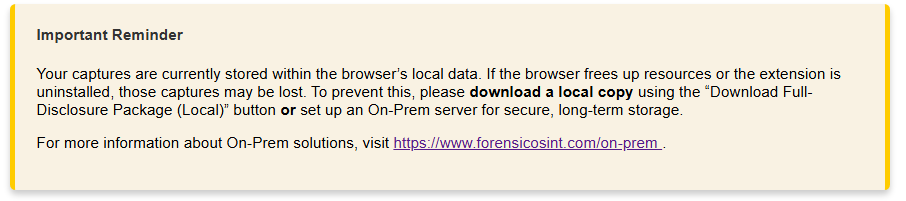
- Reintroduced Important Reminder: A crucial message has been re-added to remind users to download their captures to avoid potential loss. The reminder encourages using the "Download Full-Disclosure Package (Local)" option or setting up secure On-Prem storage solutions.
Version: 2.5.9
Release Date: February 3, 2025
Bug Fixes
This update resolves a significant issue that could cause the extension to crash unexpectedly in certain situations. Users who experienced browser crashes or other stability concerns should see improved performance and reliability.
Version: 2.5.8
Release Date: January 28, 2025
New Features & Improvements
- Faster Login Check: Reduced wait time for login verification when opening the extension.
- UI Fix: Resolved an issue where the animated GIF remained after ZIP downloads in Local Full Disclosure.
- Drag-and-Drop Captures: Fully restored drag-and-drop functionality in the CMS capture tree.
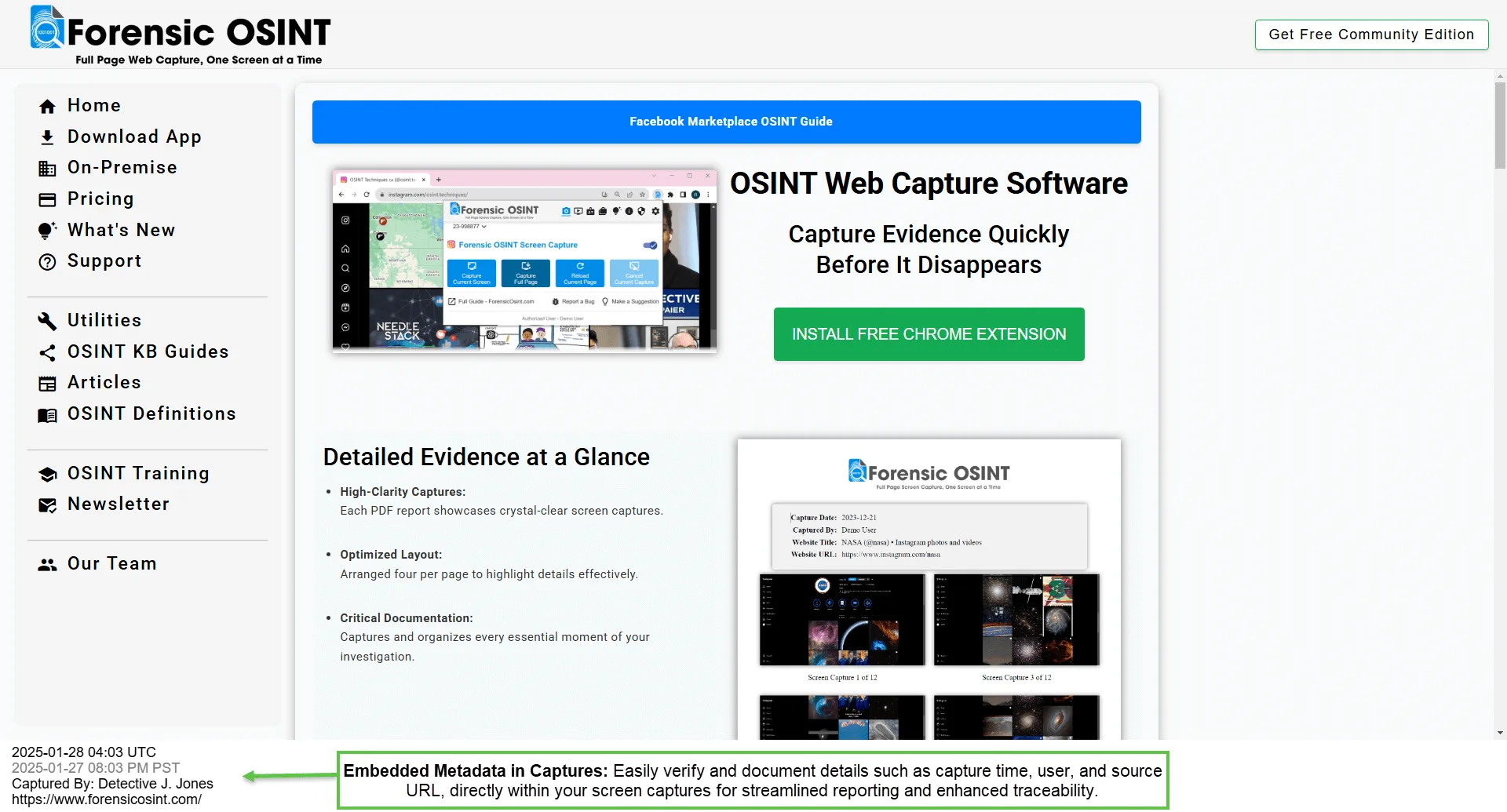
- Screen Capture Metadata: Added metadata options for screen captures, including capture date/time, user, and URL, making it easier to copy this information into reports (configurable in settings).
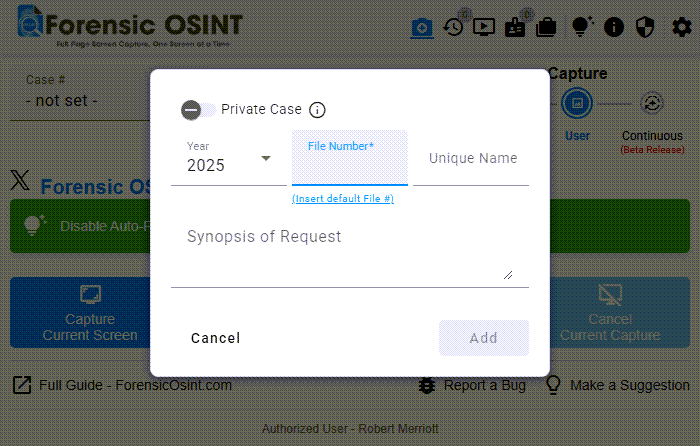
- New Case Dialog: Introduced a structured format for case creation: Year-File Number-Unique Name. This improvement makes it easier for larger teams to group and locate related captures within complex cases. The new system ensures consistency and simplifies collaboration for investigators working on shared cases.
Backend Update
This version supports connecting to the SHARED API Backend (BETA RELEASE), eliminating the need for a local backend installation through the On-Premise option.
Please contact us for further details - info@forensicosint.com
Bug Fixes
Various optimizations and minor fixes to improve stability and performance.
