
Sometimes we provide access to a BETA version of the Forensic OSINT Chrome Extension for early testing, bug fixes, or new features prior to Chrome Web Store approval. This guide walks you through how to install it using Developer Mode in Chrome.
Download the BETA Version
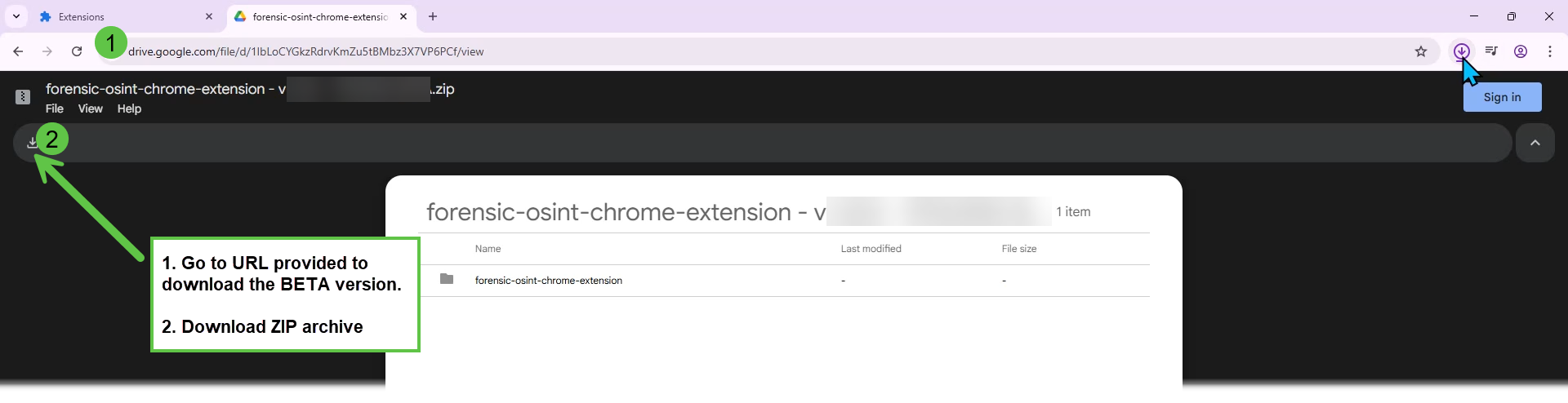
We'll provide you with a Google Drive link to the ZIP archive.
- Visit the URL.
- Click the download icon to save the ZIP file to your computer.
Extract the ZIP Archive
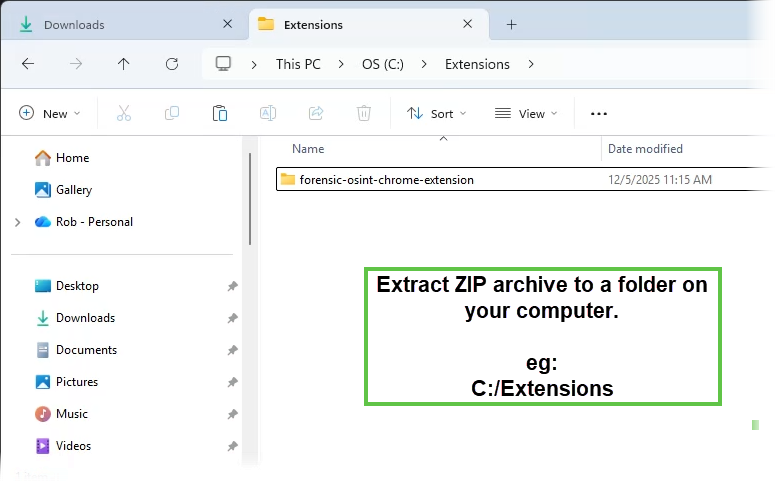
Extract the ZIP to a known folder on your computer, such as:
C:\ExtensionsThis will create a folder named something like forensic-osint-chrome-extension.
Enable Developer Mode in Chrome
Open Chrome and navigate to:
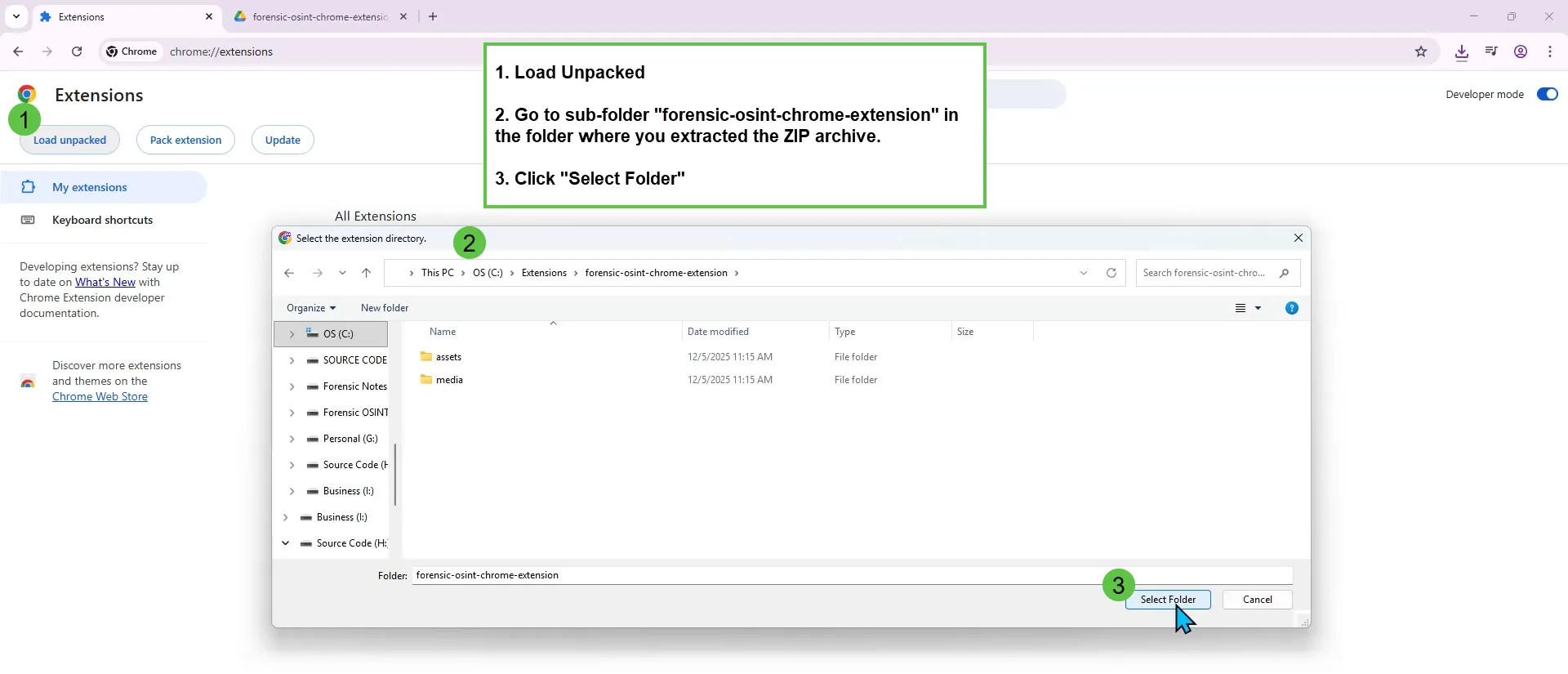
chrome://extensionsToggle on Developer mode in the top right.

Load the Unpacked Extension
- Click Load unpacked in the top left.
- Navigate to the folder you extracted from the ZIP.
- Select the folder named
forensic-osint-chrome-extension, then click Select Folder.
Confirm the Extension is Installed
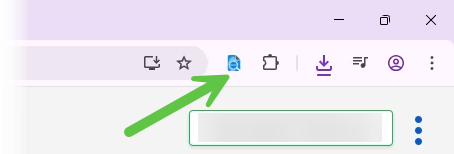
You should now see the Forensic OSINT Extension loaded and active in your list of Chrome extensions. You're all set! You can now use the BETA version of Forensic OSINT.
All previous captures will need to be re-downloaded, as the BETA version uses a different data storage method than the Chrome Web Store version.
