
Leaving a review helps us improve and supports the OSINT community. Follow these quick steps to share your feedback!
Open the Forensic OSINT Chrome Web Store Page
Click the link below to visit the Forensic OSINT Full Page Screen Capture extension page:
Forensic OSINT on the Chrome Web Store
If you haven't installed the extension yet, you must install it before you can leave a review.
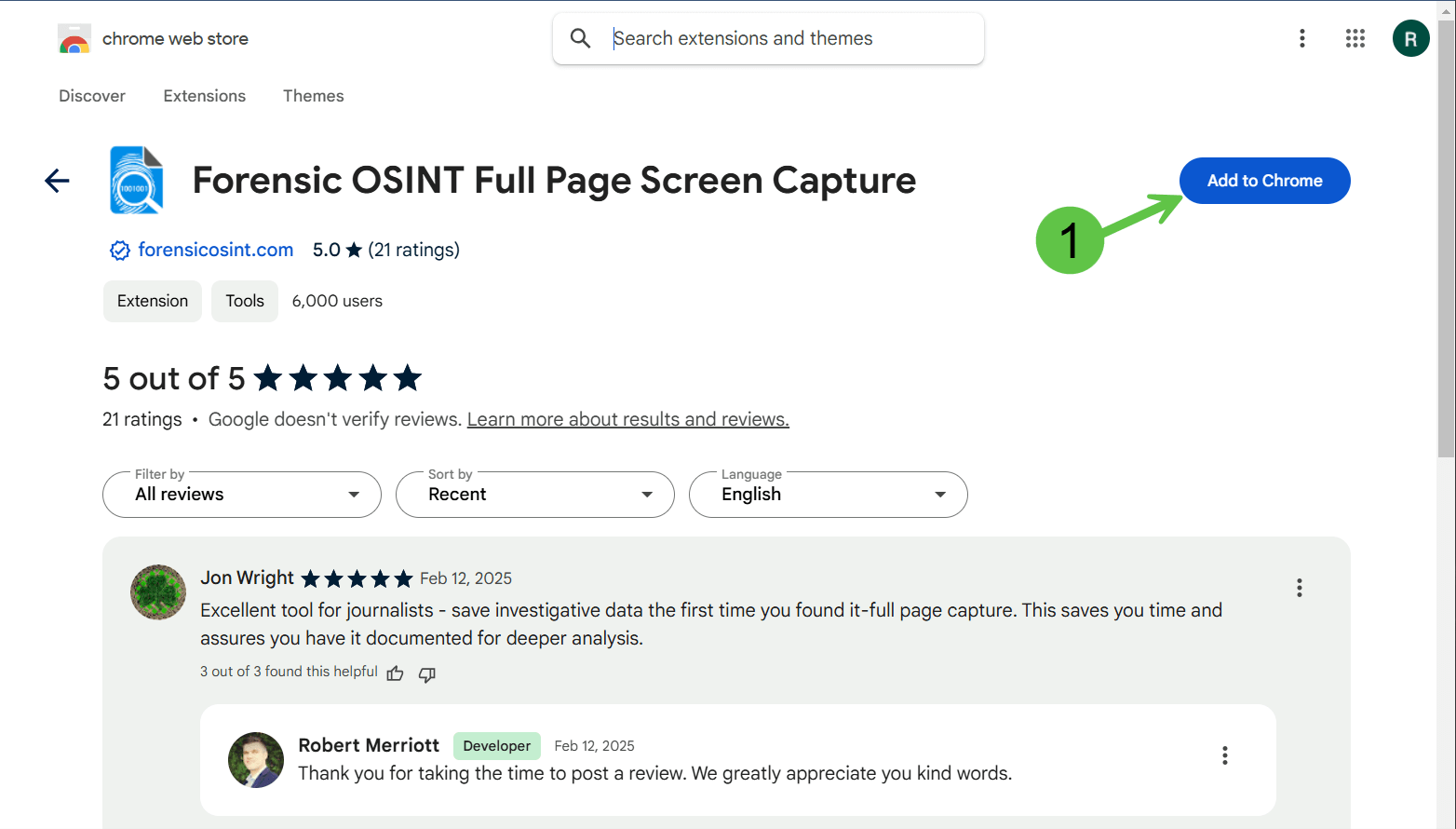
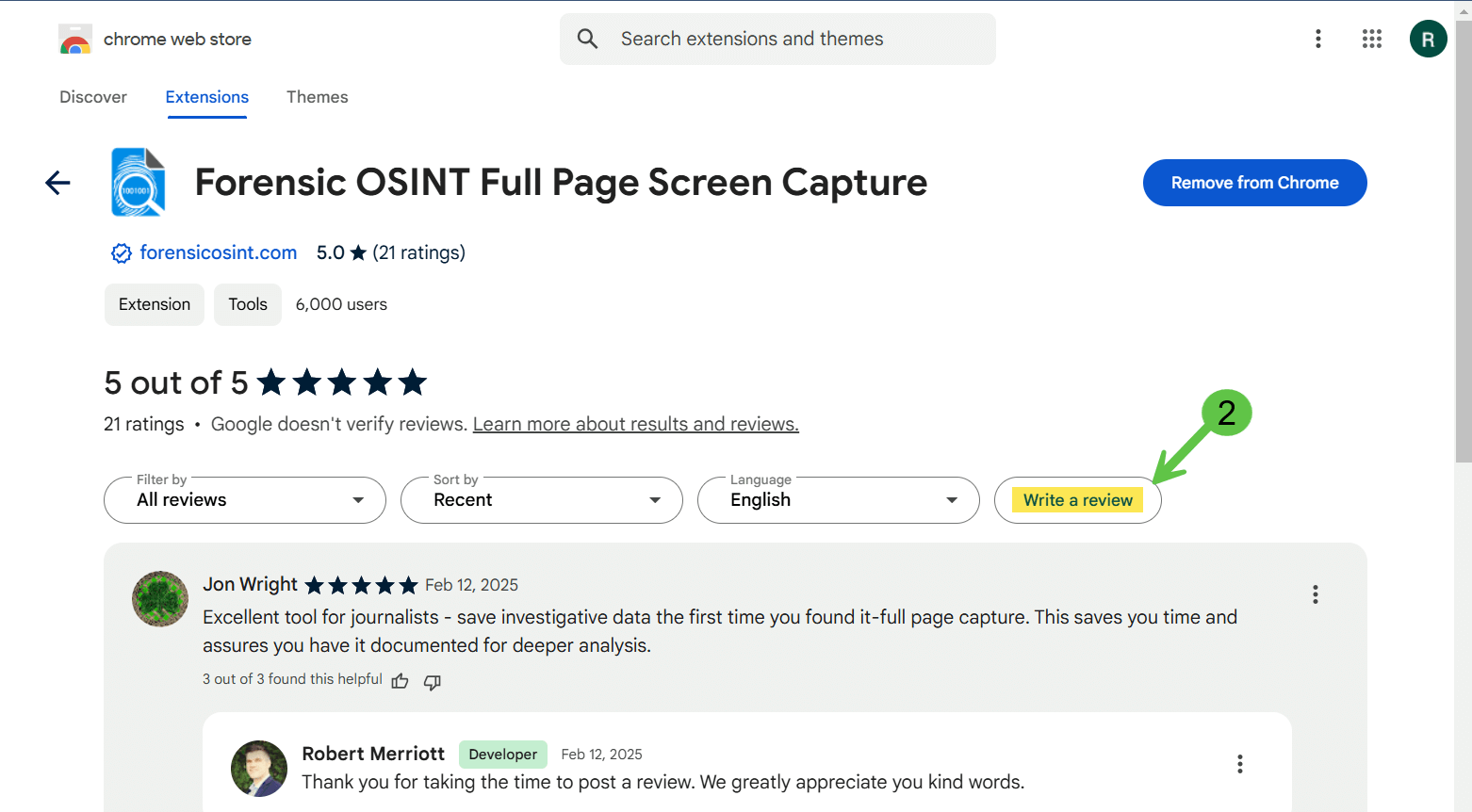
Click "Write a Review"
Once on the extension page:
- Scroll down to the Reviews section.
- Click the Write a review button.
Note: If you don't see the button, make sure you are logged into the Chrome profile where the extension is installed.
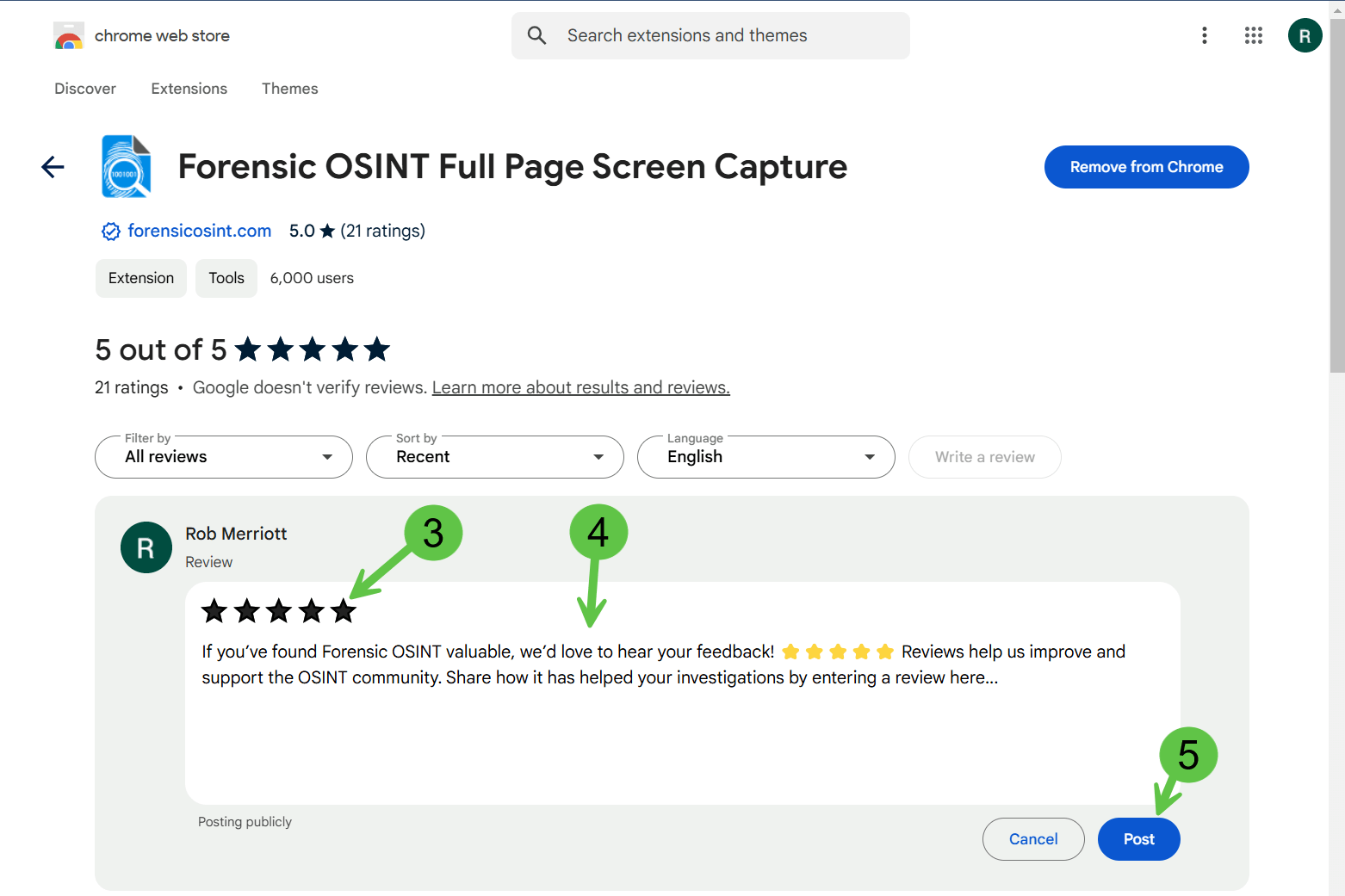
Rate & Write Your Review
- Click the 5-star rating to rate the extension.
- Write a short review sharing how Forensic OSINT has helped in your investigations.
- Click Post to submit your review.
Example Review: "Forensic OSINT is an essential tool for OSINT professionals! It saves me hours of manual work by automating full-page captures. Highly recommended!"
That's It!
Your review helps others discover Forensic OSINT and supports our continued improvements.
Thank you for being part of the OSINT community!
