
The Legal (Report) Name is crucial for ensuring clear attribution of your work in all reports generated by Forensic OSINT. This name should be your legal name or a unique identifier that accurately represents your identity in professional and investigative contexts.
Why it's important
Using a Legal (Report) Name provides the following benefits:
- Clear Attribution: It ensures that all your work is properly attributed to you, maintaining professional accountability.
- Credibility: It adds to the professionalism and credibility of the reports.
- Consistency: It provides a consistent identifier across all reports, making it easier to track and reference your work.
Important: The Legal Name cannot be changed for pre-existing captures. Therefore, it is essential to set this name correctly prior to any captures that you plan to use for court proceedings.
Possible values
You can use various forms of identifiers, such as:
- Joe Smith
- Det. Smith
- PC 12345
- Analyst Smith
- Investigator Smith
How to set your Legal (Report) Name
Follow these steps to set your Legal (Report) Name:
- Go into Case Management System (CMS)
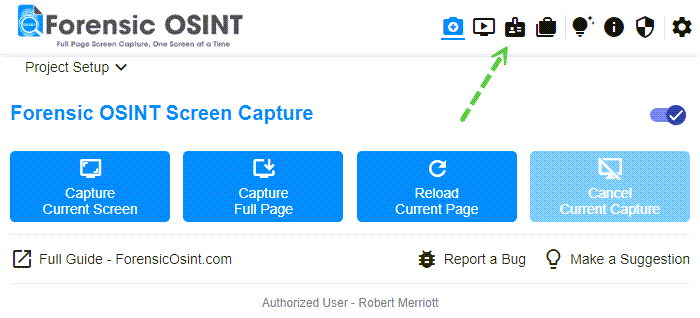
Opening the Case Management System - Navigate to Settings >> Profile
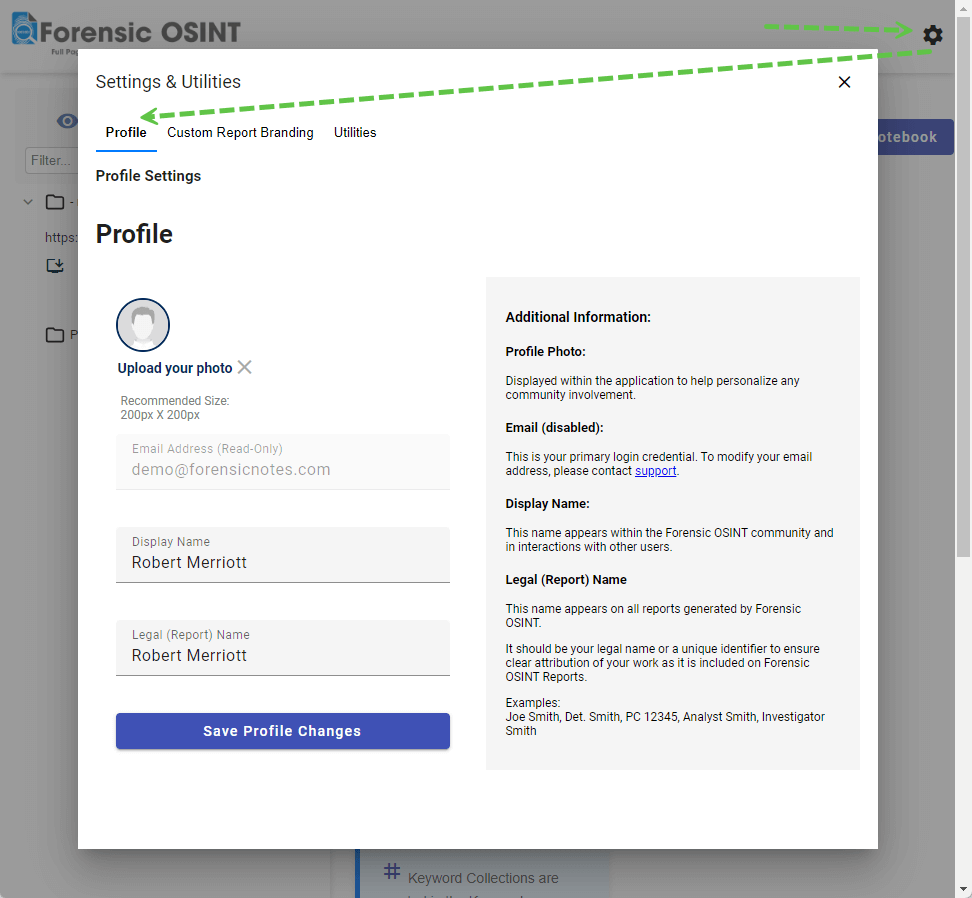
Profile settings showing the Legal (Report) Name field - Enter your Legal (Report) Name in the designated field.
- Save the changes to update your profile with your Legal (Report) Name.
