
Summary
Some computers ship with Killer Network drivers and background services enabled by default. These are commonly found on Dell systems, but this is not Dell-exclusive. The same software has been reported on other manufacturers' systems as well.
When Killer services are running, upload speeds can be severely reduced, even though downloads and normal web browsing appear fine.
For Forensic OSINT, this can cause syncing to the backend to be extremely slow or fail entirely. Once the Killer services are stopped or removed, syncing immediately returns to normal.
Why this is easy to miss
Killer Network software attempts to manage and prioritize network traffic. In practice, it can interfere with sustained uploads.
Most users do not notice a problem during everyday browsing, streaming, or downloads. The issue typically becomes visible only when uploading large amounts of data.
In many cases, failed or painfully slow Forensic OSINT syncing is the first and only symptom.
How to quickly check if your system is affected
Open a browser and go to: https://www.speedtest.net/
Run the test and focus on upload speed, not just download.
Compare the upload result to:
- The service level you expect from your ISP
- What is typical for your connection type
If your download speed is very high but your upload speed is extremely low, your system may be affected by Killer Network services.
Real-world example (before and after)
With Killer Network services running
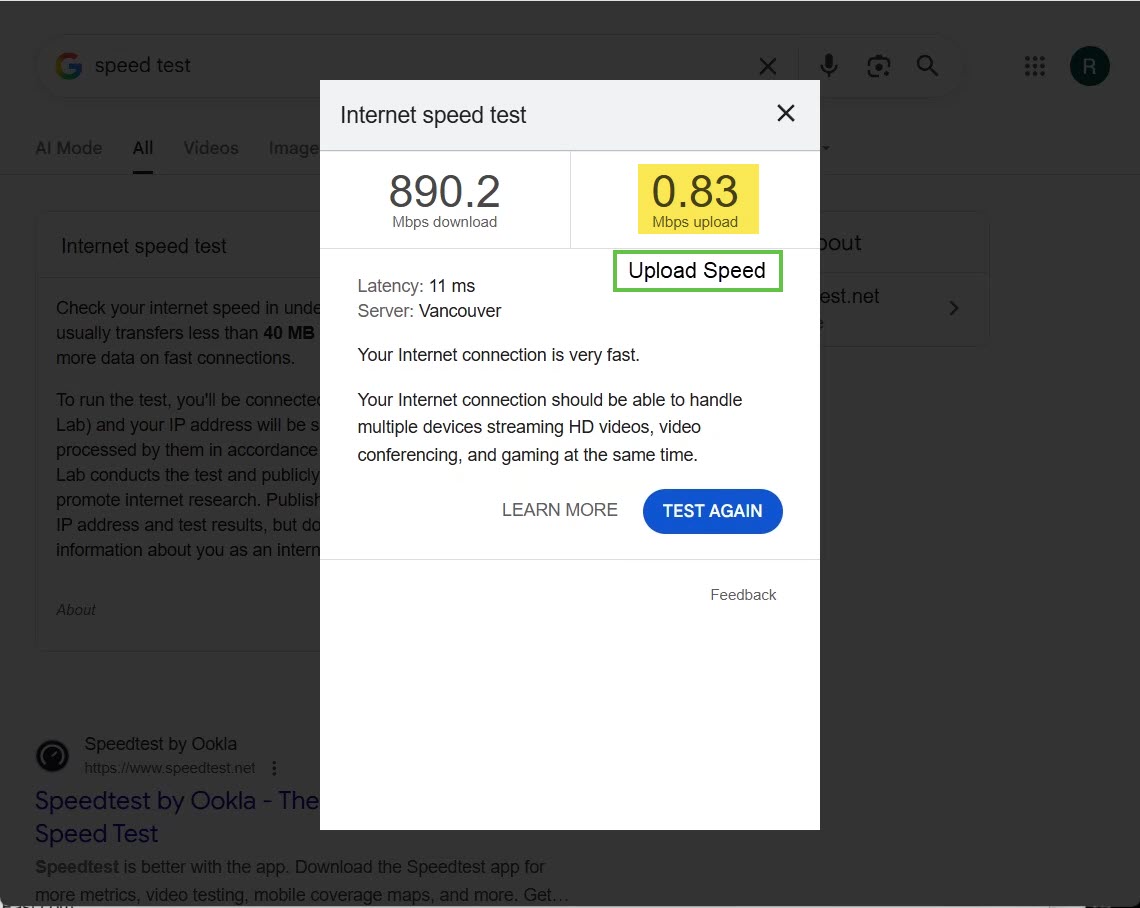
- Download speed: ~890 Mbps
- Upload speed: 0.83 Mbps
At this speed, Forensic OSINT syncing becomes extremely slow or fails completely.
After ending or removing Killer Network services
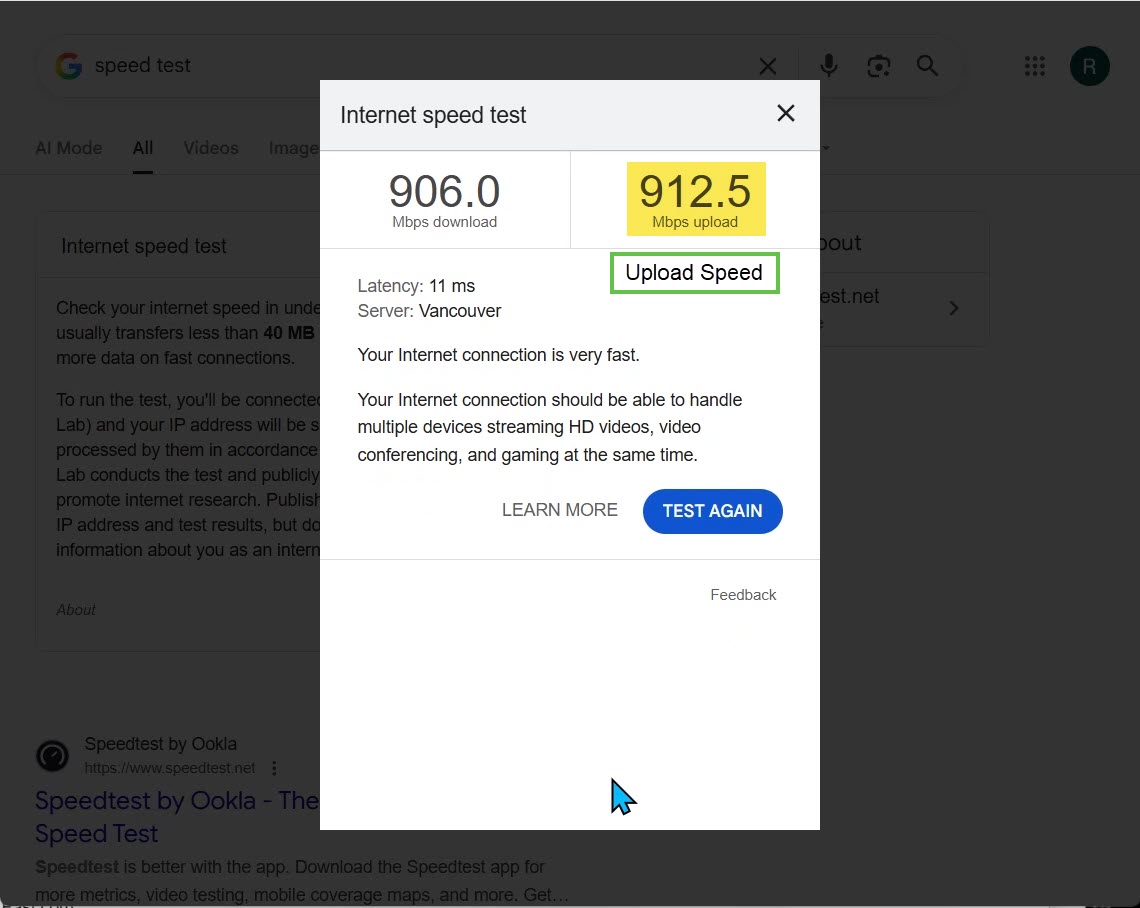
- Download speed: ~906 Mbps
- Upload speed: 912.5 Mbps
Syncing immediately returns to normal and completes reliably.
This single change fully resolved the issue.
Identifying Killer Network services
You can often confirm the cause by checking running processes.
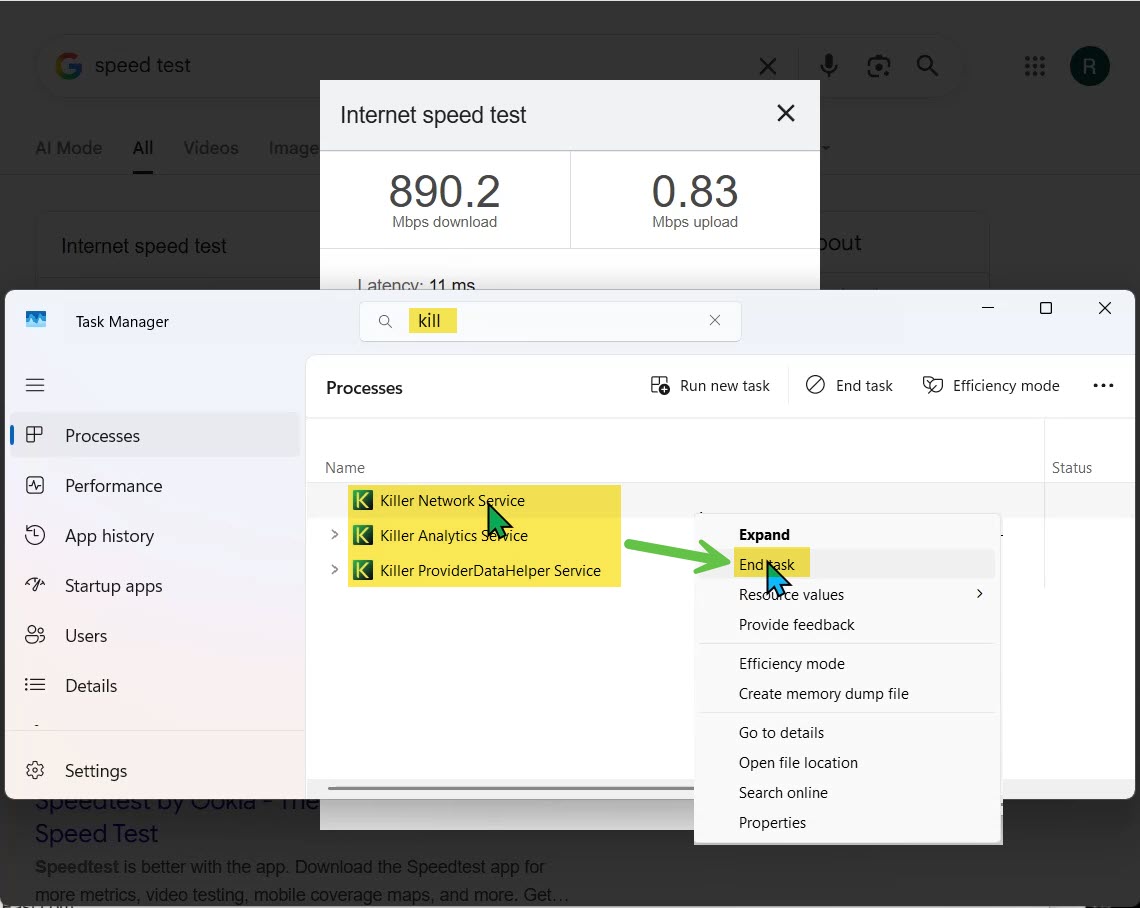
Common services include:
- Killer Network Service
- Killer Analytics Service
- Killer Provider Data Helper Service
Stopping these services temporarily restores upload speed, which is a strong confirmation that Killer is the cause.
Important clarification
This issue is not limited to Dell computers. Any system running Killer Network drivers or services, regardless of manufacturer, may experience this behavior. Dell systems are frequently affected because they often ship with Killer software preinstalled.
Recommended fix (permanent solution)
The most reliable solution is to fully uninstall Killer Network software.
Stopping services works as a temporary test, but updates or reboots can re-enable them. Uninstalling ensures the issue does not return.
How to remove Killer Network software
- Open Windows Settings
- Go to Apps
- Select Installed apps
- Locate and uninstall all Killer-related entries, such as:
- Killer Control Center
- Killer Network Service
- Killer Performance Driver Suite
- Killer Intelligence Center
- Restart your computer
Windows will automatically fall back to its standard network drivers, which are stable and fully compatible with Forensic OSINT syncing.
Result
After removing Killer Network software:
- Upload speeds return to expected levels
- Forensic OSINT syncing works reliably
- Backend sync failures are resolved
Tip: If syncing is slow or failing while normal web use appears fine, this should be one of the first things to check.
