Capturing the full page using Forensic OSINT ensures that all information on the webpage is captured accurately. Follow the steps below to capture the entire page efficiently.
How Our App Captures Full Web Pages
To capture entire web pages, our app performs scrolling captures, moving down page by page until the end of the page or the maximum number of captures set in the settings.
To ensure no section is missed, the app scrolls down 80-90% of the page, creating overlap between captures for easy verification of continuity. The scrolling speed can be adjusted based on your internet speed and the dynamic nature of the site.
Quick Links:
Screen Capture Image Quality & System Performance
The quality and file size of screen captures depend on the resolution of the monitor used.
Higher resolution captures require more storage and processing power.
For detailed information, click here.
Steps to Capture Full Page
Open Forensic OSINT
Launch the Forensic OSINT extension in your browser.
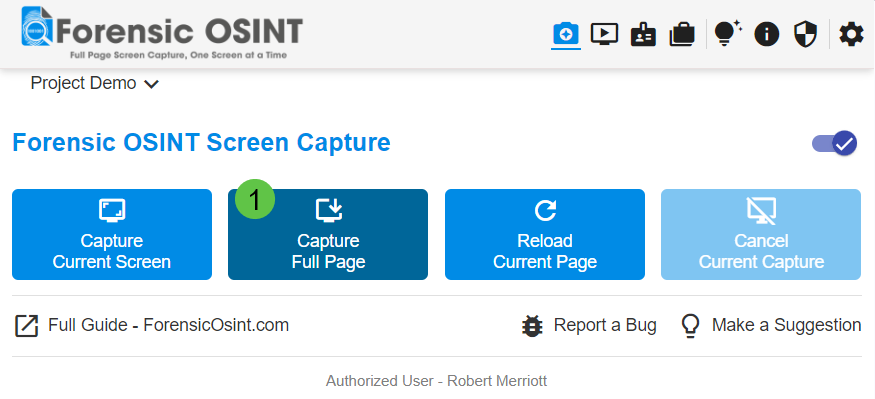
Capture Full Page
Click on "Capture Full Page".
Capture in Progress
Observe the progress indicator as the capture is being processed.
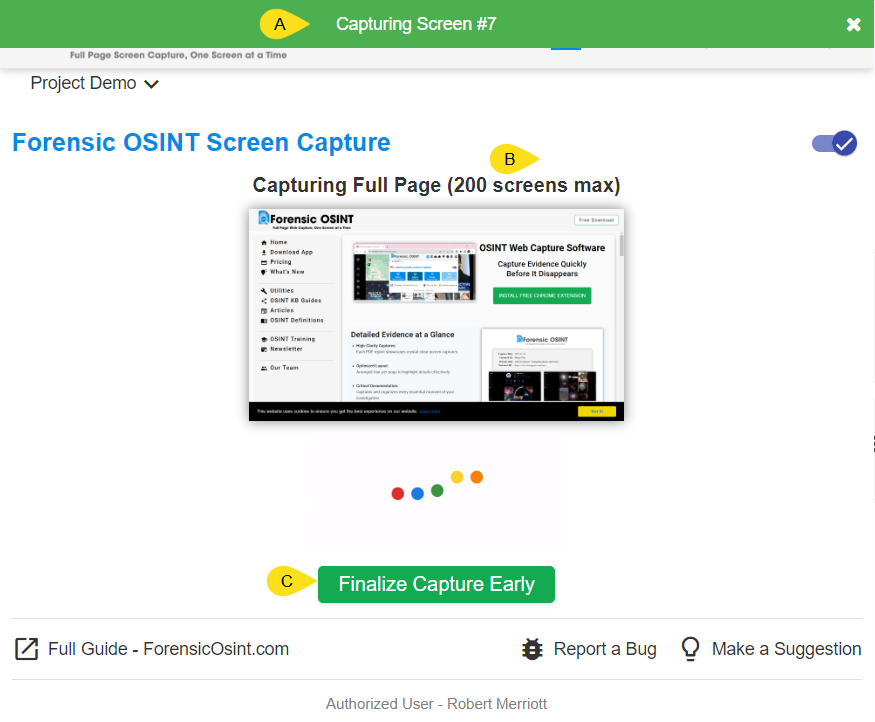
- A: Shows the current page being captured.
- B: Shows the maximum number of pages that will be captured. The maximum depends on your subscription level. You can adjust this number in the settings section of the extension.
- C: Click "Finalize Capture Early" to stop capturing at the current page and view the captures in the CMS.
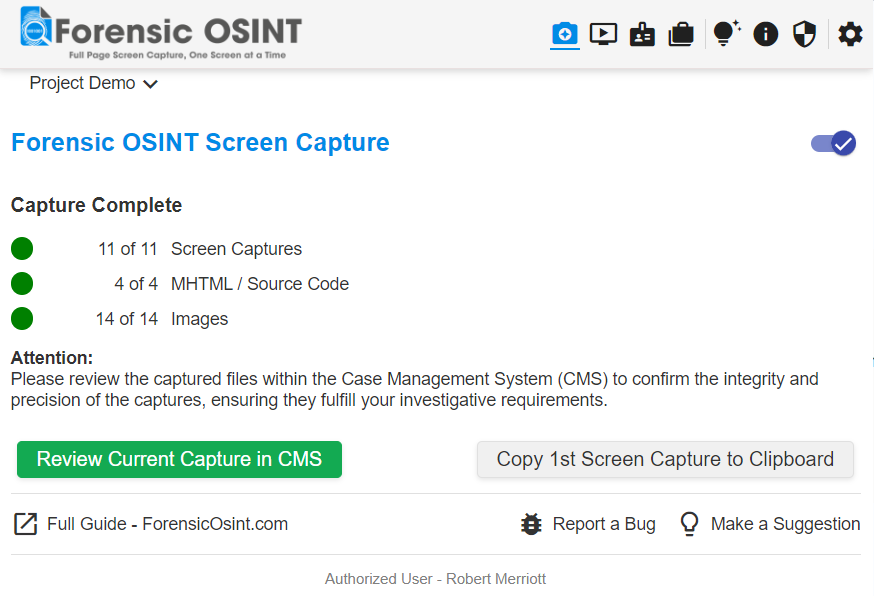
Capture Complete
Review the captured files within the Case Management System (CMS) to ensure they meet your requirements.
Advanced Captures
Advanced Captures are available to paying subscribers and provide customized capture capabilities for more complex websites like Facebook, Instagram, Telegram, and many more.
For more information, visit our Advanced Capture page.
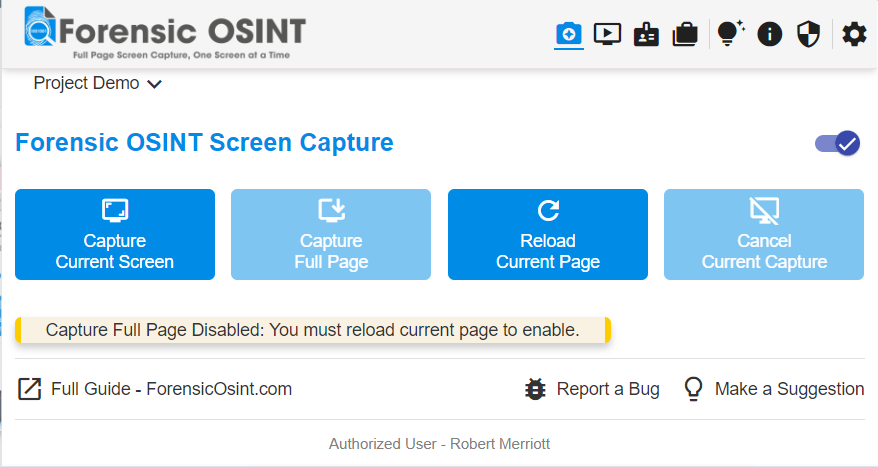
Handling Disabled Capture Button
Sometimes, the "Capture Full Page" button may be disabled. This can happen due to:
- Page Not Fully Loaded: Wait for the page to load completely or refresh the page.
- Previous Capture: A previous capture has already been made. Reload the page to enable the full page capture again.